Apunkagames Official Site – Games Download For PC Apunkagames Official Site — Discover detailed PC game guides, accurate system requirements, screenshots, and verified official download links for top Windows games.

Taxi Chaos 2 is a fast-paced arcade racing game released in December 2025 that modernizes the classic Crazy Taxi formula with a unique sci-fi twist. Developed by Focuspoint Studios and published by Current Games, the narrative shifts away from standard fare delivery into an eccentric corporate battle. Players control Vinny and collaborate with Cleo to save the living, shifting city of San Valeda from “TaxiBot Corp”—an aggressive fleet of AI-controlled robot taxis designed to steal your customers, block critical paths, and attack your vehicle.
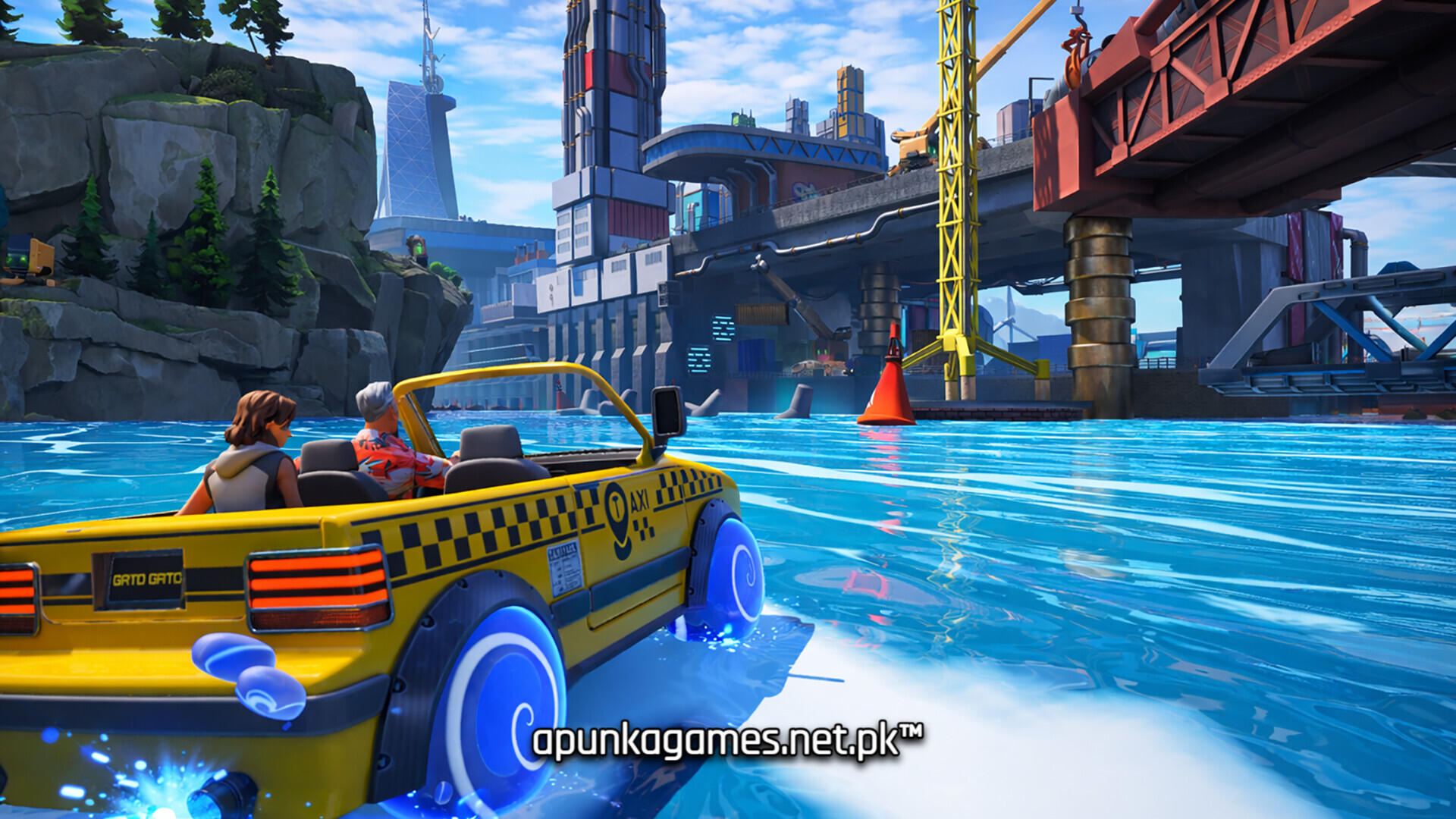
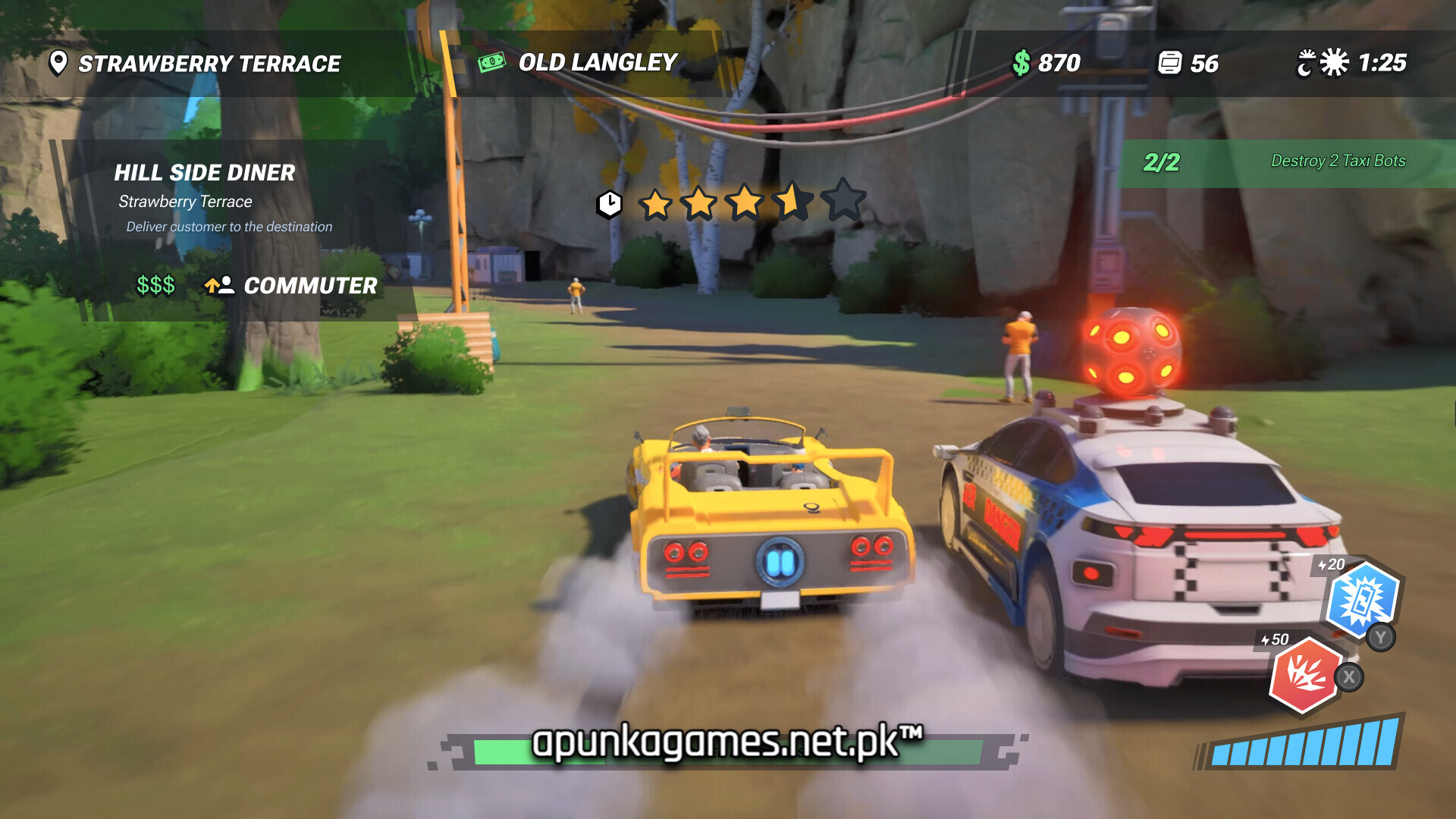
For PC players, the core mechanics emphasize rapid decision-making, vertical exploration, and combat strategy. You choose between ten customizable vehicles spread across three distinct classes: nimble Drift cars, fast Sports cars, or heavy, aggressive models built to bulldoze traffic. In addition to picking up demanding passengers with volatile traits, players deploy unlockable utility and combat abilities—such as Turbo Boosts, Sonic Blasts, and Tesla Shocks—to counter armored TaxiTanks and scale building rooftops for optimal shortcuts.
The game boasts a vibrant, stylized cell-shaded visual layout featuring dynamic traffic, hazards, and rotating morning-to-dusk time shifts. Available digitally on Steam, this controller-required single-player experience requires 8 GB of available storage space to deploy.
Before downloading make sure that your PC meets minimum system requirements
Minimum System Requirements
- OS: Windows 10 (64bit version only)
- Processor: Intel i5 7400 3GHz
- Memory: 16 GB RAM
- Graphics: Nvidia GeForce GTX 1060
- DirectX: Version 11
- Storage: 8 GB available space
Screenshots
How to Install Taxi Chaos 2?
- Download: Get the installer only from the official developer or a verified store.
- Run Setup: Double-click the official .exe file and follow the prompts.
- Default Path: Install to the recommended folder to ensure proper system permissions.
- Update: Run the game launcher to download any official security patches.
- Launch: Open the game via the official desktop shortcut.