Apunkagames Official Site – Games Download For PC Apunkagames Official Site — Discover detailed PC game guides, accurate system requirements, screenshots, and verified official download links for top Windows games.

Two Point Campus is a brilliantly whimsical and highly addictive business simulation game released in 2022 that gives you total control over building and managing your dream university. Developed by Two Point Studios and published by Sega, the narrative moves away from traditional, stuffy academia, tasking players with constructing eccentric campuses where students enroll in bizarre educational paths like Knight School, Wizardry, or giant pizza-baking culinary arts.
For PC players, the gameplay expands dramatically on the foundations laid by Two Point Hospital. The core mechanical loop balances deep architectural freedom with intense administrative strategy. Using intuitive design tools, you can lay down custom foundations, place paths, and plant decorative flora to shape your campus layout from scratch. From there, you must hire specialized professors, build quirky training facilities, and carefully monitor your students’ happiness, hygiene, and social needs to keep tuition fees flowing.
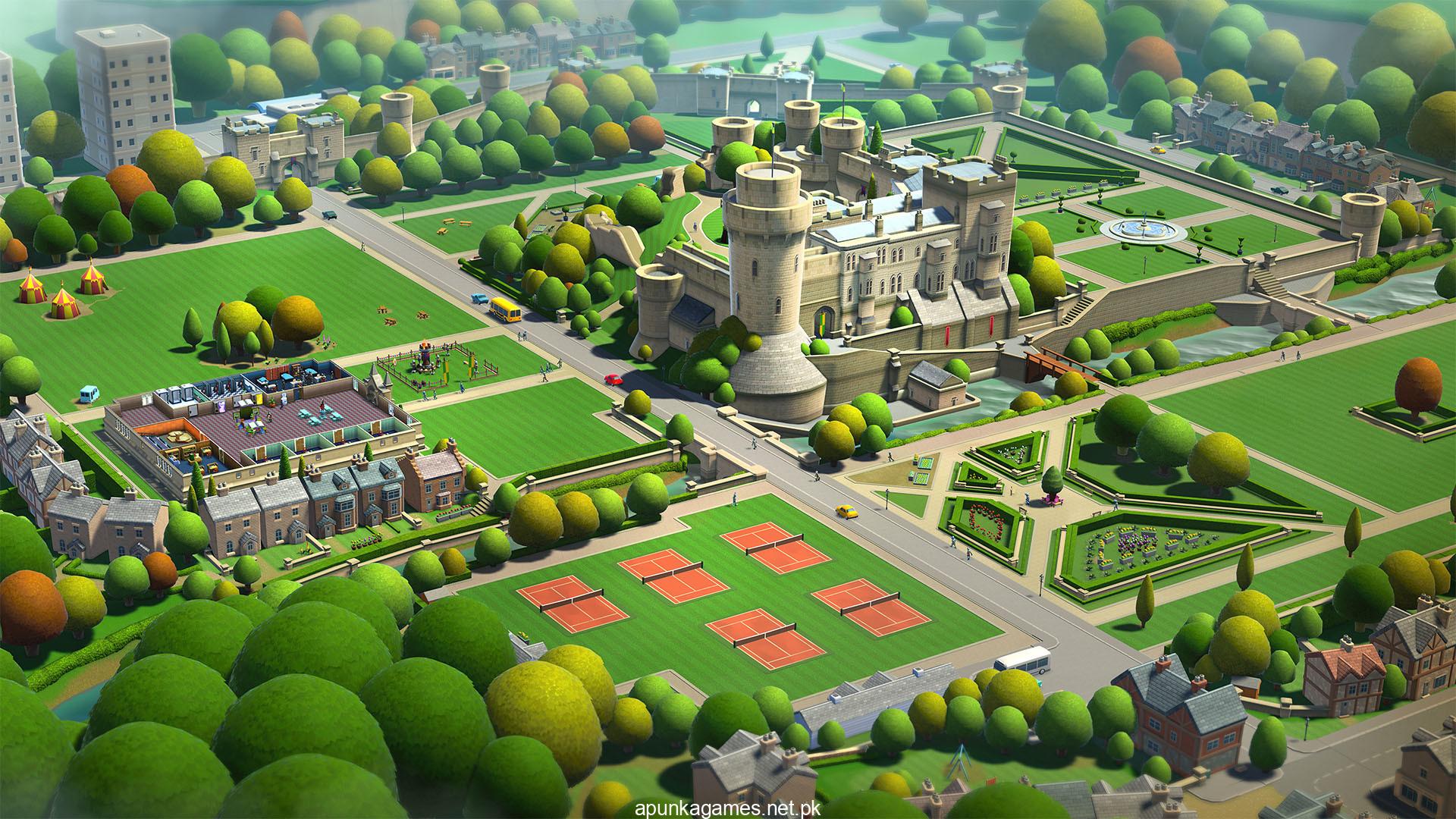
Visually, the game utilizes a vibrant, claymation-inspired art style packed with hilarious, detailed animations that bring your wacky student body to life as they study and socialize. The game runs flawlessly on modern PC configurations, requiring 6 GB of available storage space on your hard drive or solid-state drive (SSD) to begin building your academic empire.
Before downloading make sure that your PC meets minimum system requirements
Minimum System Requirements
- OS: Windows 7 64-bit
- Processor: Intel Core i3 6100 or AMD FX-4350
- Memory: 4 GB RAM
- Graphics: NVIDIA Geforce GT 1030, 2GB (Legacy: NVIDIA GeForce GTX 460)
- DirectX: Version 11
- Storage: 6 GB available space
Screenshots

How to Install Two Point Campus?
- Download: Get the installer only from the official developer or a verified store.
- Run Setup: Double-click the official .exe file and follow the prompts.
- Default Path: Install to the recommended folder to ensure proper system permissions.
- Update: Run the game launcher to download any official security patches.
- Launch: Open the game via the official desktop shortcut.