Apunkagames Official Site – Games Download For PC Apunkagames Official Site — Discover detailed PC game guides, accurate system requirements, screenshots, and verified official download links for top Windows games.

Vampire Crawlers The Turbo Wildcard from Vampire Survivors is a chaotic and highly addictive spin-off developed by poncle and Nosebleed Interactive. Shifting away from the classic auto-shooter mechanics, this title transforms the intense, monster-melting action into a fast-paced, turn-based roguelite dungeon crawler. Players are thrown back into familiar gothic settings, but this time they must navigate grid-based maps complete with functioning obstacles, traps, and secrets while facing overwhelming hordes of classic supernatural enemies.
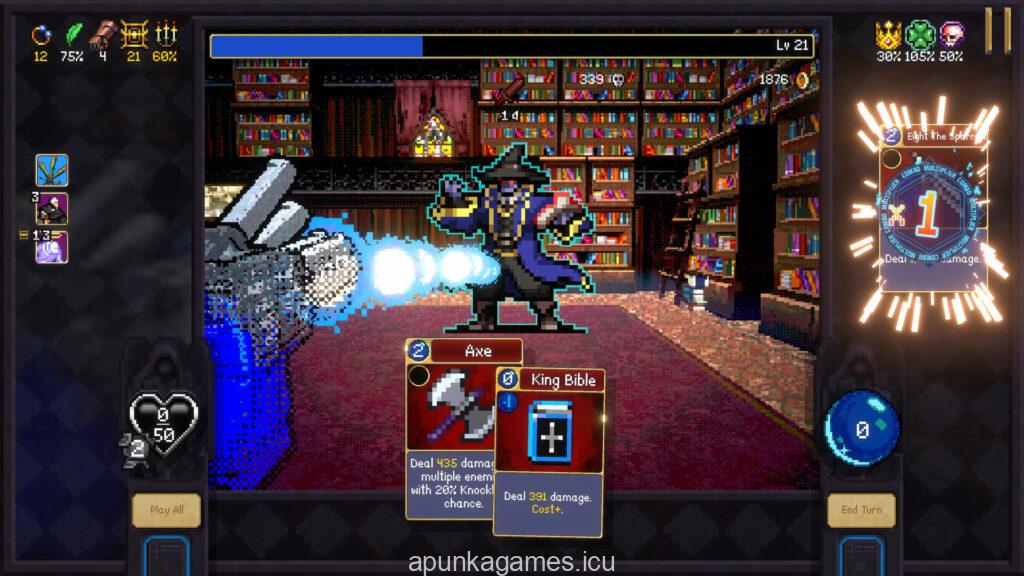
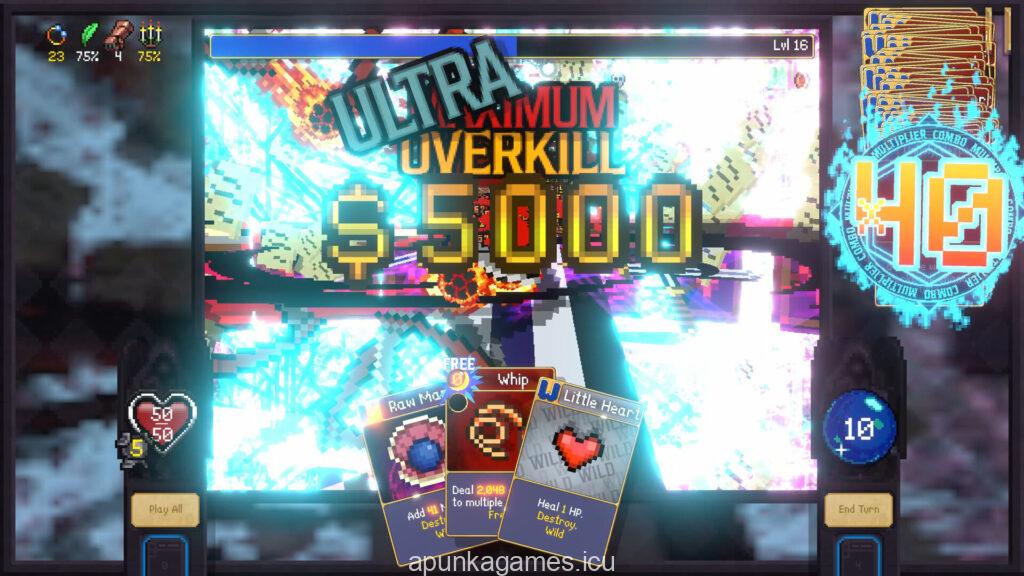
The gameplay relies on an inventive, combo-driven card system where positioning and strategy are everything. To maximize your damage, cards must be played in a strict ascending mana order, with each successive link multiplying the power of the next ability. Utilizing unique Wildcards allows you to chain massive combinations together, triggering devastating weapon evolutions and summoning legendary survivors to completely wipe out full screens of enemies in a single, perfectly calculated turn.
Whether you prefer to slow down and meticulously plan your next move or blast through the tactical options as fast as humanly possible, the game rewards experimental character builds. You can level up to acquire stronger spells, smash open chests for custom card upgrades, and unlock permanent power-ups that alter your playstyle. With its signature retro visual style, fantastic synth-wave soundtrack, and deep progression, this title takes the bullet-hell franchise into a brilliantly fresh direction.
Before downloading make sure that your PC meets minimum system requirements
Minimum System Requirements
- OS: Windows 10 (64-bit)
- Processor: x64 architecture with SSE2 support
- Memory: 4 GB RAM
- Graphics: NVIDIA GeForce GTX 660 / AMD Radeon HD 6770
- DirectX: Version 11
- Storage: 2 GB available space
Screenshots
How to Install?
- Download: Get the installer only from the official developer or a verified store.
- Run Setup: Double-click the official .exe file and follow the prompts.
- Default Path: Install to the recommended folder to ensure proper system permissions.
- Update: Run the game launcher to download any official security patches.
- Launch: Open the game via the official desktop shortcut.