Apunkagames Official Site – Games Download For PC Apunkagames Official Site — Discover detailed PC game guides, accurate system requirements, screenshots, and verified official download links for top Windows games.
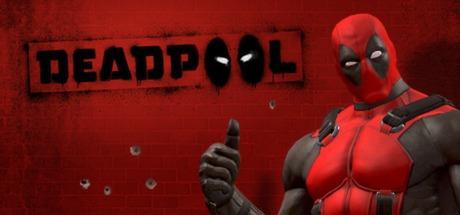
Deadpool is a chaotic, fourth-wall-breaking third-person action-adventure game originally released in 2013. Developed by High Moon Studios and published by Activision, the narrative features a hilarious, meta-heavy plot written by comic scribe Daniel Way. It follows the titular Merc with a Mouth as he forces a video game studio to make a high-budget title starring himself, resulting in a surreal adventure where he fights Mister Sinister, teams up with Cable, and constantly argues with the voices in his own head.
For PC players, the game delivers an energetic, arcade-style hack-and-slash combat loop blended with third-person shooting elements. You slice through waves of enemies using dual katanas and heavy hammers while swapping to dual pistols, plasma rifles, or shotguns to clear distant threats. The gameplay emphasizes rapid combo chains, teleportation-style dodges, and a passive healing factor. However, due to expired Marvel licensing agreements, the digital PC version has been de-listed from online storefronts like Steam, making physical discs or gray-market keys the only way to obtain it legally.
Visually, the Unreal Engine 3 technology drives a colorful, highly expressive comic-book world filled with over-the-top animations. The digital installation requires 7 GB of available storage space on your hard drive or solid-state drive (SSD) to play.
Before downloading make sure that your PC meets minimum system requirements
Minimum System Requirements
- OS: Windows 7 / 8 / 10 / 11
- CPU: Intel Core 2 Duo E8200 2.66 GHz
- RAM: 2 GB
- Video Card: GeForce 8800 GT series with 512 MB RAM
- Free Disk Space: 7 GB
Screenshots
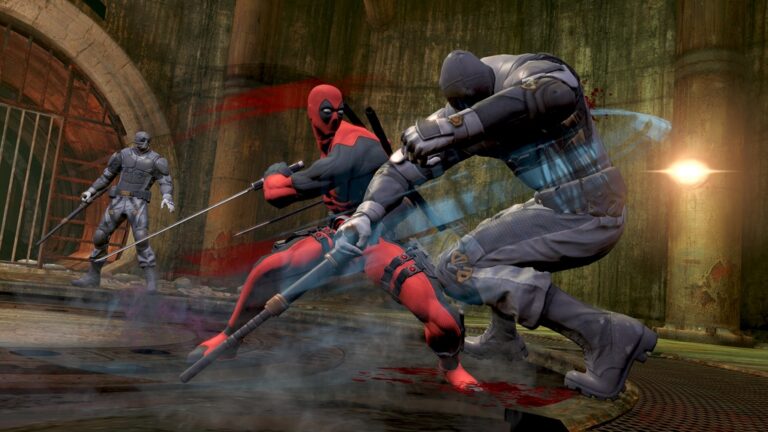
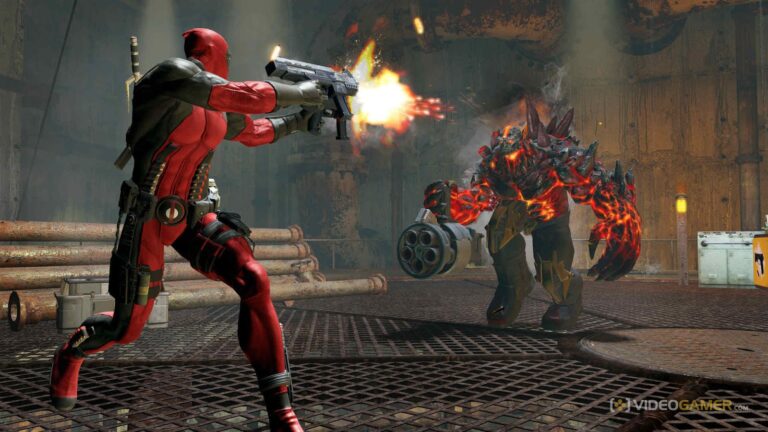
How to Install Deadpool?
- Download: Get the installer only from the official developer or a verified store.
- Run Setup: Double-click the official .exe file and follow the prompts.
- Default Path: Install to the recommended folder to ensure proper system permissions.
- Update: Run the game launcher to download any official security patches.
- Launch: Open the game via the official desktop shortcut.