Apunkagames Official Site – Games Download For PC Apunkagames Official Site — Discover detailed PC game guides, accurate system requirements, screenshots, and verified official download links for top Windows games.
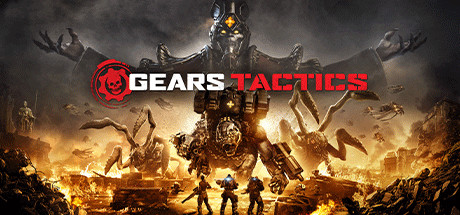
Gears Tactics is a superb, fast-paced turn-based strategy game released in 2020 that seamlessly translates the brutal, high-octane action of the iconic sci-fi franchise into a tactical sandbox. Serving as a prequel set twelve years before the original game, the narrative follows Gabe Diaz—a brilliant military mind and father of Kait Diaz—as he recruits, develops, and leads a resilient squad of human survivors to hunt down Ukkon, the monstrous Locust scientist responsible for breeding the creature hordes.
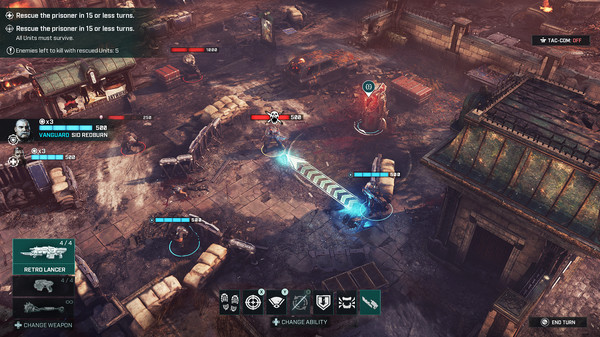
For PC players, the gameplay stands out from traditional grid-based tactics by ditching strict movement restrictions for an aggressive, free-form action-point system. The mechanics prioritize momentum; executing downed enemies in close-quarters combat rewards your entire squad with bonus actions, allowing you to chain devastating offensive runs together. You must balance aggressive cover-to-cover maneuvers, manage tight overwatch lanes, and handle massive, multi-stage boss battles against screen-filling Locust monstrosities like the Brumak.
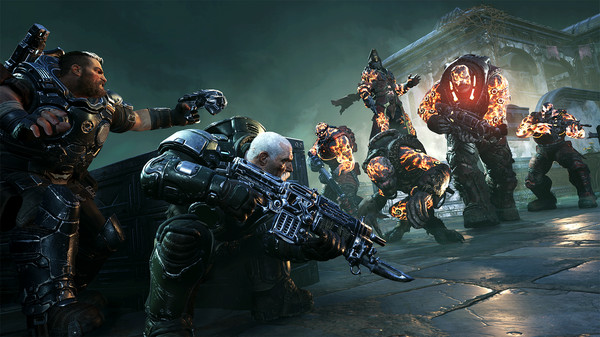
Visually, the game utilizes Unreal Engine 4 to deliver stunning, cinematic visuals, highly detailed armor customization, and fluidly animated execution sequences that capture the signature gore of the mainline series. The complete digital installation requires 45 GB of available storage space on your hard drive or solid-state drive (SSD) to deploy.
Before downloading make sure that your PC meets minimum system requirements
Minimum System Requirements
- OS: Windows 10 64-bit
- Processor: Intel i3 Skylake | AMD FX-6000
- Memory: 8 GB RAM
- Graphics: AMD Radeon R7 260X
- DirectX: Version 12
- Storage: 45 GB available space
Screenshots
How to Install Gears Tactics?
- Download: Get the installer only from the official developer or a verified store.
- Run Setup: Double-click the official .exe file and follow the prompts.
- Default Path: Install to the recommended folder to ensure proper system permissions.
- Update: Run the game launcher to download any official security patches.
- Launch: Open the game via the official desktop shortcut.