Apunkagames Official Site – Games Download For PC Apunkagames Official Site — Discover detailed PC game guides, accurate system requirements, screenshots, and verified official download links for top Windows games.
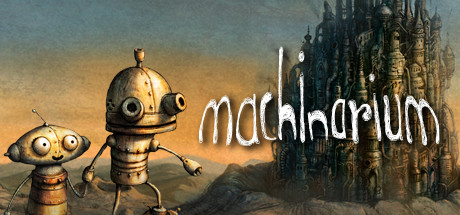
Machinarium is a breathtaking, critically acclaimed point-and-click adventure masterpiece released in 2009 by the independent Czech developer Amanita Design. The game transports players to a gorgeous, rusty metropolis populated entirely by mechanical beings. You control Josef, a charming little robot who has been unfairly dismantled and exiled to the city’s scrapheap. Josef must sneak back into the city, rescue his captured girlfriend Berta, and foil a bomb plot orchestrated by the nefarious Black Cap Brotherhood.
For PC players, the game delivers an incredibly pure, traditional puzzle-adventure loop, but with a unique mechanical twist: Josef can only interact with objects that are within his physical reach. To solve the environment’s clever brain-teasers, players can dynamically stretch or compress Josef’s vertical torso to interact with higher overhead switches or crawl into tight spaces. Notably, the game features absolutely no spoken or written dialogue, relying instead on beautifully animated thought bubbles and visual cues to tell its heartwarming story.
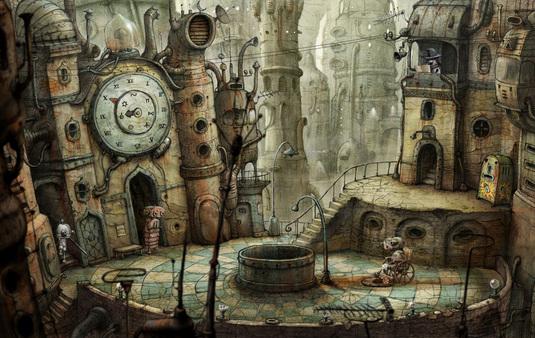
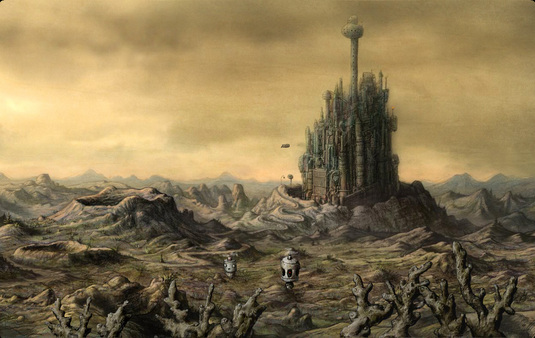
Visually, the title is a stunning triumph of hand-drawn 2D artwork, utilizing sepia tones and incredibly detailed textures to bring its melancholic, steampunk world to life. This charming digital puzzle box requires just 380 MB of available storage space on your hard drive or solid-state drive (SSD) to run.
Before downloading make sure that your PC meets minimum system requirements
Minimum System Requirements
- OS: Windows XP/Vista/7/8/10
- Processor: 1.8 Ghz Processor
- Memory: 1GB Ram
- Hard Drive: 1GB Free space
Screenshots
How to Install Machinarium?
- Download: Get the installer only from the official developer or a verified store.
- Run Setup: Double-click the official .exe file and follow the prompts.
- Default Path: Install to the recommended folder to ensure proper system permissions.
- Update: Run the game launcher to download any official security patches.
- Launch: Open the game via the official desktop shortcut.