Apunkagames Official Site – Games Download For PC Apunkagames Official Site — Discover detailed PC game guides, accurate system requirements, screenshots, and verified official download links for top Windows games.
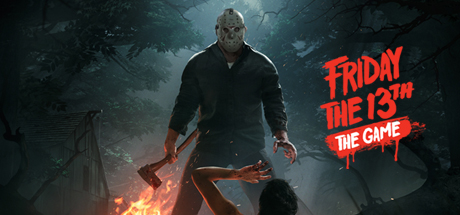
Friday the 13th The Game is an intense, asymmetrical multiplayer horror title released in 2017 that perfectly captures the terrifying atmosphere of the iconic film franchise. Developed by IllFonic and published by Gun Media, the game sets up a brutal 1v7 match tracking a group of teenage camp counselors trying to survive the night at Camp Crystal Lake while one player takes control of the supernatural, unstoppable killer, Jason Voorhees.
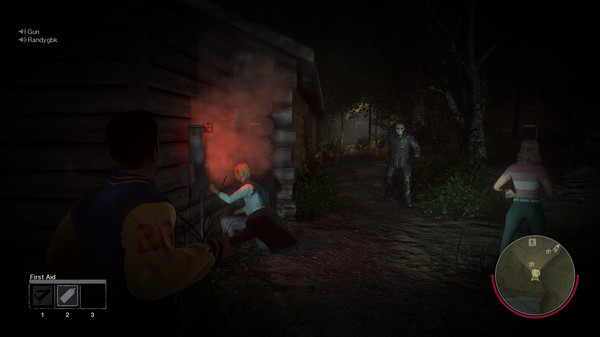
For PC players, the gameplay delivers a suspenseful game of cat-and-mouse split into two entirely different mechanical loops. Counselors must work together to find vehicle parts, repair boat engines, call the police, or simply hide in cabins to outlast the twenty-minute timer. Meanwhile, the player controlling Jason utilizes terrifying supernatural abilities, including short-range teleportation and an advanced “Sense” tracker to hunt down counselors based on their fear levels.
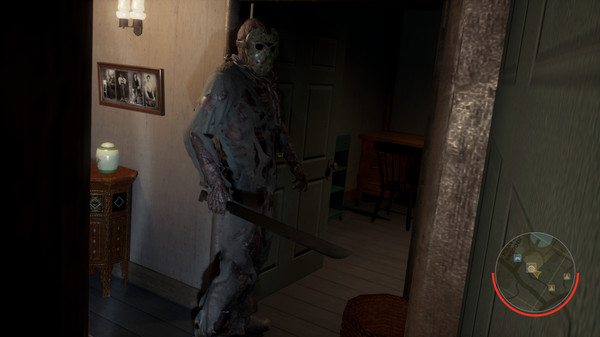
Visually, the game pays incredible homage to the original movies, utilizing Unreal Engine 4 to render foggy woodlands, dark waters, and cinematic, brutally creative execution animations. While the official dedicated servers have been retired, the game remains playable via peer-to-peer matches. The digital installation requires 10 GB of available storage space on your hard drive or solid-state drive (SSD) to face the horror.
Before downloading make sure that your PC meets minimum system requirements
Minimum System Requirements
- OS: Windows 7, Windows 8, Windows 10
- Processor: Intel Core i3-530
- Memory: 4096 MB RAM
- Graphics: GeForce GTX 650 Ti
- DirectX: Version 11
- Storage: 4 GB available space
Screenshots
How to Install Friday the 13th The Game?
- Download: Get the installer only from the official developer or a verified store.
- Run Setup: Double-click the official .exe file and follow the prompts.
- Default Path: Install to the recommended folder to ensure proper system permissions.
- Update: Run the game launcher to download any official security patches.
- Launch: Open the game via the official desktop shortcut.