Apunkagames Official Site – Games Download For PC Apunkagames Official Site — Discover detailed PC game guides, accurate system requirements, screenshots, and verified official download links for top Windows games.
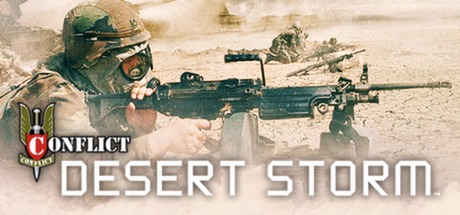
Conflict Desert Storm is a classic, highly tactical third-person shooter released in 2002 that perfectly captures the intense atmosphere of the 1991 Gulf War. Developed by Pivotal Games, the narrative places you in command of a specialized four-man fireteam—either from the British SAS or US Delta Force—deployed deep behind enemy lines in Iraq to dismantle Scud missile sites, rescue POWs, and counter hostile forces.
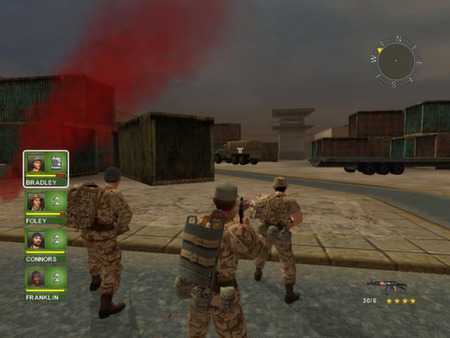
For PC players, the core gameplay centers on squad mechanics and tactical resource management. You control a balanced fireteam consisting of John Bradley (Team Leader/Rifleman), Paul Foley (Sniper), Mick Connors (Heavy Weapons), and David Jones (Demotions/Medic). Success requires cycling through each operative in real-time, utilizing an intuitive order system to issue commands like “move,” “hold,” or “fire.” The game features a progression system where your soldiers earn skill points and promotions, improving their weapon accuracy and healing efficiency across the campaign.
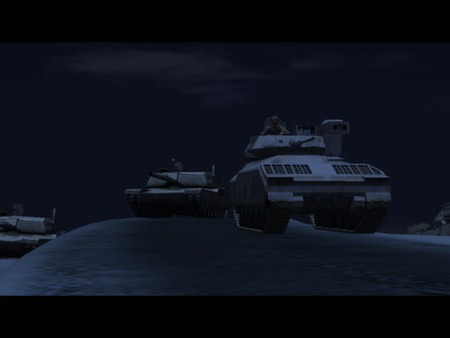
Visually, the game utilizes an early 2000s 3D engine that renders expansive desert outposts, urban ruins, and hidden bunkers. The PC version delivers responsive keyboard controls, sharp resolution scalings, and a tense atmospheric soundtrack. The legacy digital installation requires only 1.5 GB of available storage space to deploy your squad.
Before downloading make sure that your PC meets minimum system requirements
Minimum System Requirements
- OS: Windows XP or Windows Vista
- Processor: 1.8 GHz Processor
- Memory: 1 GB RAM
- Hard Disk Space: 2GB HDD
- Video Card: 3D graphics card compatible with DirectX 7
Screenshots
How to Install Conflict Desert Storm?
- Download: Get the installer only from the official developer or a verified store.
- Run Setup: Double-click the official .exe file and follow the prompts.
- Default Path: Install to the recommended folder to ensure proper system permissions.
- Update: Run the game launcher to download any official security patches.
- Launch: Open the game via the official desktop shortcut.