Apunkagames Official Site – Games Download For PC Apunkagames Official Site — Discover detailed PC game guides, accurate system requirements, screenshots, and verified official download links for top Windows games.
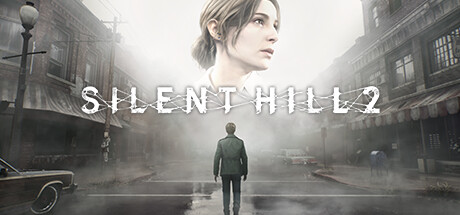
Silent Hill 2 Remake is a masterfully crafted psychological horror remake released in late 2024 that resurrects Konami’s legendary 2001 masterpiece. Developed by Bloober Team, the narrative follows James Sunderland, a grieving man who travels to the eerie, fog-shrouded town of Silent Hill after receiving a mysterious, impossible letter from his wife, Mary—who tragically passed away three years prior.
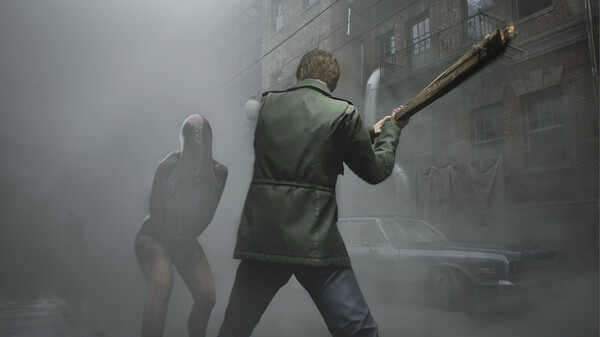
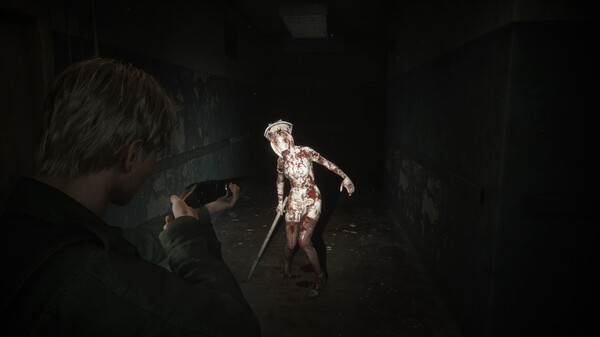
For PC players, the game shifts from fixed camera angles to a modern, immersive over-the-shoulder perspective. The core gameplay loop blends tense exploration, atmospheric puzzle-solving, and desperate resource management. Combat is visceral and clumsy, mirroring James’s status as an everyday person struggling against terrifying manifestations of his own psyche, like the iconic Pyramid Head and the uncanny Nurses. The game introduces expanded environments, brand-new puzzle layers, and a refined dodge mechanic that modernizes the survival horror experience without sacrificing its psychological tension.
Visually built on Unreal Engine 5, the title delivers breathtaking volumetric fog, realistic lighting, and hyper-detailed character models. On PC, it fully supports advanced features like ray tracing, DLSS, and FSR for maximum atmospheric immersion. The psychological journey requires 50 GB of available storage space on a fast solid-state drive (SSD) to install.
Before downloading make sure that your PC meets minimum system requirements
Minimum System Requirements
- OS: Windows 10 x64
- Processor: Intel Core i7-6700K
- Memory: 16 GB RAM
- Graphics: NVIDIA GeForce GTX 1070 Ti
- DirectX: Version 12
- Storage: 50 GB available space
Screenshots
How to Install?
- Download: Get the installer only from the official developer or a verified store.
- Run Setup: Double-click the official .exe file and follow the prompts.
- Default Path: Install to the recommended folder to ensure proper system permissions.
- Update: Run the game launcher to download any official security patches.
- Launch: Open the game via the official desktop shortcut.