Apunkagames Official Site – Games Download For PC Apunkagames Official Site — Discover detailed PC game guides, accurate system requirements, screenshots, and verified official download links for top Windows games.

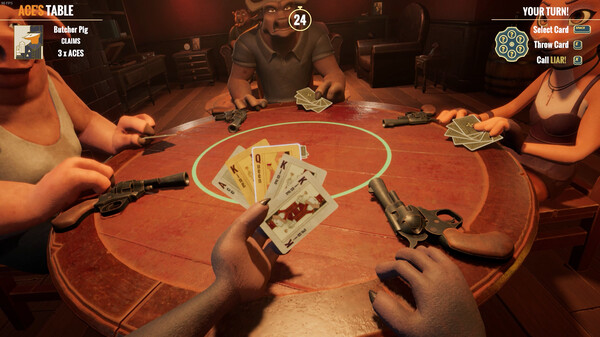
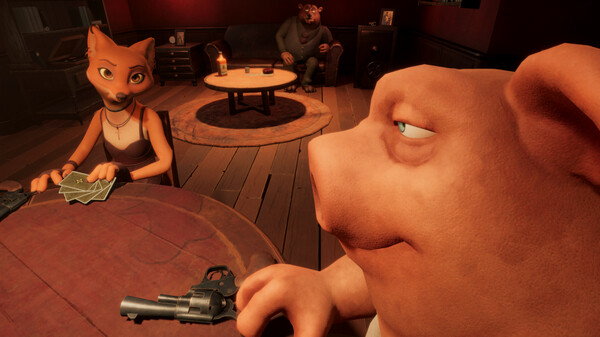
Liar’s Bar is a tense, multiplayer casual deduction game set in a dark and gritty, anthropomorphic underworld. Developed by Curve Animation, it drops players into a smoky, back-alley tavern where anthropomorphic animals gamble for their very lives. The atmosphere is thick with tension and dark humor, as you sit around a table with up to three other players, trying to outsmart, out-bluff, and out-survive everyone else in a high-stakes psychological showdown.
The core gameplay centers on classic tabletop bluffing games, primarily Liar’s Dice and Liar’s Deck (a twist on traditional card games). Players take turns playing cards or rolling dice, attempting to match the table’s active rule while choosing whether to play honestly or lie. If someone calls your bluff and catches you in a lie, or if you falsely accuse an honest opponent, you are forced to play a deadly round of Russian Roulette. This mechanic elevates the stakes dramatically, making every single turn a nerve-wracking gamble.
Visually distinct and mechanically brutal, the game shines as a party experience where reading human psychology is just as important as the hand you are dealt. It supports both public matchmaking and private lobbies, allowing friends to test their trust and deception skills against one another. With character-specific animations, voice lines, and an oppressive noir aesthetic, it delivers a uniquely thrilling blend of casual strategy and intense, edge-of-your-seat suspense.
Before downloading make sure that your PC meets minimum system requirements
Minimum System Requirements
- OS: Windows 10 (64-bit
- Processor: Intel Core i5-4670
- Memory: 4 GB RAM
- Graphics: NVIDIA GeForce GTX 1050
- DirectX: Version 11
- Storage: 4 GB available space
Screenshots
How to Install Liar’s Bar?
- Download: Get the installer only from the official developer or a verified store.
- Run Setup: Double-click the official .exe file and follow the prompts.
- Default Path: Install to the recommended folder to ensure proper system permissions.
- Update: Run the game launcher to download any official security patches.
- Launch: Open the game via the official desktop shortcut.