Apunkagames Official Site – Games Download For PC ApunKaGames is a best website to download games for PC.
Table of Contents
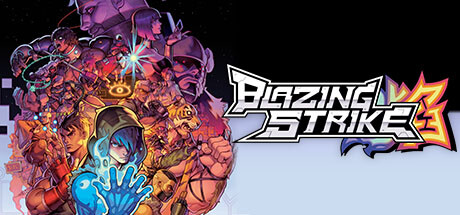
Blazing Strike is an electrifying 2D fighting game that serves as a passionate homage to the golden era of arcade fighters. Developed by RareBreed Makes Games and published by Aksys Games, the title transports players into a gritty, post-apocalyptic dystopian world. Following a devastating global event, human civilization is left in complete disarray under the thumb of a corrupt, murderous government, prompting a bold resistance group to rise up and fight for the freedom of the people.
The gameplay beautifully bridges retro inspiration with contemporary mechanics, introducing a modern four-button system that remains highly accessible to newcomers. A standout feature is the unique Rush System, which allows fighters to execute fast-paced dashes and high-speed combos at the cost of a depleting Rush Meter. Players can choose from a diverse roster of 14 unique combatants, testing their skills across dedicated Arcade, Story, and Versus modes, alongside smooth online multiplayer supported by rollback netcode.
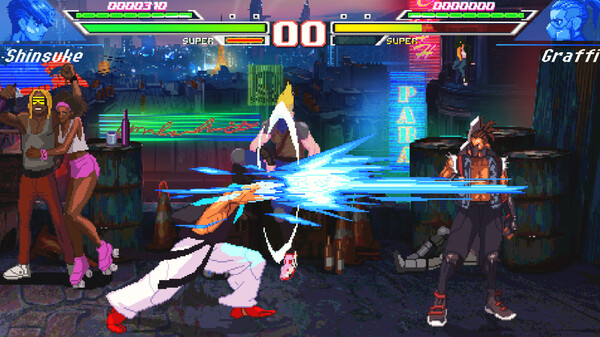
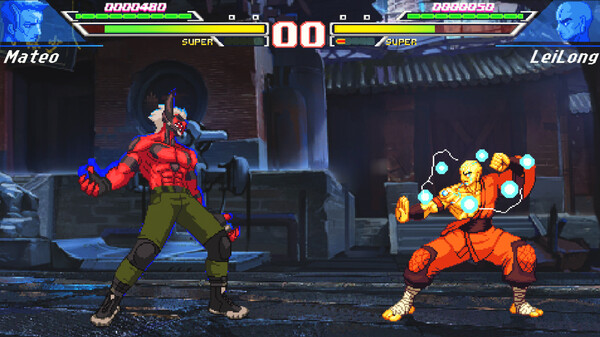
Visually, the game shines with its gorgeously detailed pixel art style, capturing the distinct aesthetic and fluid animations reminiscent of classic 90s fighting games. Each stage features vibrant, colorful backdrops that complement the explosive action happening on screen. Backed by an nostalgic soundtrack and specialized training tools to help players master their combos, it delivers an authentic, action-packed arcade experience for fighting game enthusiasts.
Before downloading make sure that your PC meets minimum system requirements
Minimum System Requirements
- OS: Windows 7 / 8
- Processor: Intel i3 3.0GHz
- Memory: 2 GB RAM
- Graphics: Intel HD 4440
- DirectX: Version 11
- Storage: 7 GB available space
Screenshots
How to Install Blazing Strike?
- Download: Get the installer only from the official developer or a verified store.
- Run Setup: Double-click the official .exe file and follow the prompts.
- Default Path: Install to the recommended folder to ensure proper system permissions.
- Update: Run the game launcher to download any official security patches.
- Launch: Open the game via the official desktop shortcut.