Apunkagames Official Site – Games Download For PC Apunkagames Official Site — Discover detailed PC game guides, accurate system requirements, screenshots, and verified official download links for top Windows games.
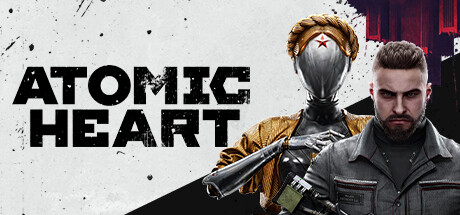
Atomic Heart is a visually striking, high-octane first-person action-RPG released in 2023 that transports players into a retro-futuristic, dystopian Soviet Union. Developed by Mundfish, the narrative unfolds in an alternate 1955 where the USSR achieved global dominance through unprecedented advancements in robotics and AI. Players control Major Sergey Nechayev, a mentally unstable special agent sent to Facility 3826 to suppress a catastrophic system failure that has caused the facility’s peaceful, utopian automatons to revolt into murderous killers.
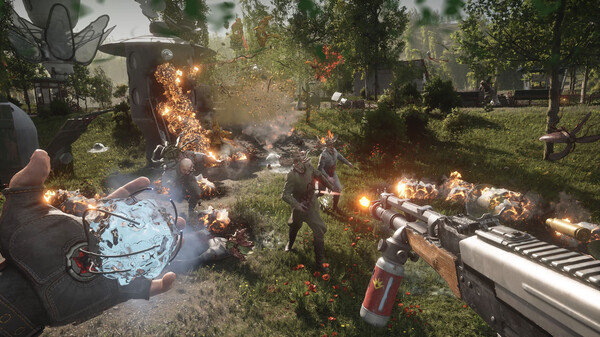
For PC players, the game delivers an exhilarating, fast-paced combat loop that heavily channels the frantic energy of BioShock and Doom. You must combine heavy firearm gunplay with a high-tech polymer glove that grants telekinetic powers, electrical blasts, and freezing elements to crowd-control rogue bipedal robots and grotesque organic mutants. The gameplay emphasizes resource management, aggressive dodging, and weapon crafting using parts scavenged from the environment.
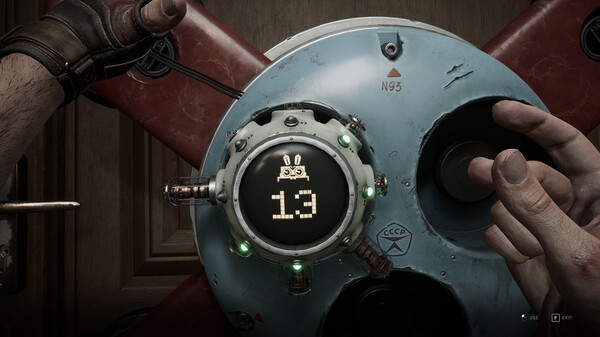
Visually, the game utilizes Unreal Engine 4 to render an astonishingly unique “Soviet-punk” aesthetic, filled with massive neoclassical monuments, gleaming laboratories, and incredibly fluid character animations. The highly optimized PC version supports advanced graphical settings and ultra-wide displays, requiring 90 GB of available storage space on your hard drive or fast solid-state drive (SSD) to deploy.
Before downloading make sure that your PC meets minimum system requirements
Minimum System Requirements
- OS: Windows 7 / 8
- Processor: AMD Ryzen 3 1200
- Memory: 8 GB RAM
- Graphics: 4 GB VRAM, AMD Radeon R9 380
- DirectX: Version 12
- Storage: 90 GB available space
Screenshots
How to Install Atomic Heart?
- Download: Get the installer only from the official developer or a verified store.
- Run Setup: Double-click the official .exe file and follow the prompts.
- Default Path: Install to the recommended folder to ensure proper system permissions.
- Update: Run the game launcher to download any official security patches.
- Launch: Open the game via the official desktop shortcut.