Apunkagames Official Site – Games Download For PC Apunkagames Official Site — Discover detailed PC game guides, accurate system requirements, screenshots, and verified official download links for top Windows games.

Vampire Hunters is a fast-paced, action-packed roguelite first-person shooter developed and published by Gamecraft Studios. Marrying the classic adrenaline of old-school boomer shooters with the highly addictive progression loops of the “survivors-like” genre, the title forces you into an aggressive battle for survival against overwhelming supernatural threats. Instead of sneaking around, your primary goal is to actively hunt down hordes of vampires, demons, and the undead across atmospheric, steampunk-inspired gothic levels.
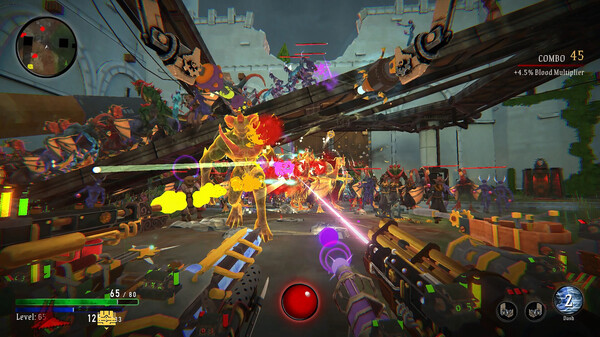
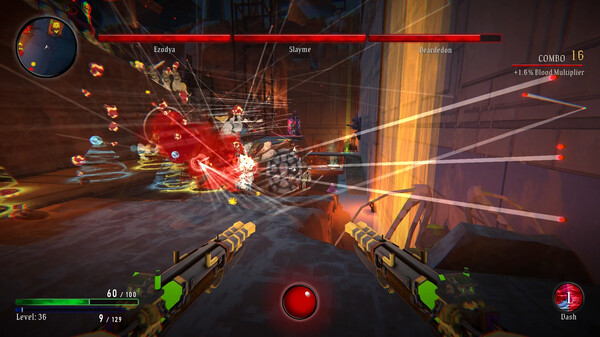
The standout feature of the gameplay is its unique and over-the-top weapon stacking mechanic. Players are not limited to carrying a standard weapon wheel; instead, you can physically stack up to 14 different firearms simultaneously on your screen. As you level up and gather experience during a chaotic run, you pick from randomized upgrades to collect everything from traditional revolvers and miniguns to absurd armaments like high-pressure holy water hoses and pirate cannons, building an earth-shattering wall of constant fire.
With its charm, lighthearted tone, and energetic electronic disco vibes, the game provides immense replayability. Choosing different hunters with specialized skills allows for distinct playstyles, while an intricate constellation upgrade tree ensures permanent progression between matches. It offers a wonderfully cheesy, retro-infused bullet-heaven experience that perfectly captures the compulsive “just one more try” allure.
Before downloading make sure that your PC meets minimum system requirements
Minimum System Requirements
- OS: Windows 10 64-bit or later
- Processor: 2.4 GHz Quad Core processor
- Memory: 4 GB RAM
- Graphics: GTX 460 or equivalent
- DirectX: Version 11
- Storage: 7 GB available space
Screenshots
How to Install Vampire Hunters?
- Download: Get the installer only from the official developer or a verified store.
- Run Setup: Double-click the official .exe file and follow the prompts.
- Default Path: Install to the recommended folder to ensure proper system permissions.
- Update: Run the game launcher to download any official security patches.
- Launch: Open the game via the official desktop shortcut.