Apunkagames Official Site – Games Download For PC ApunKaGames is a best website to download games for PC.
Table of Contents
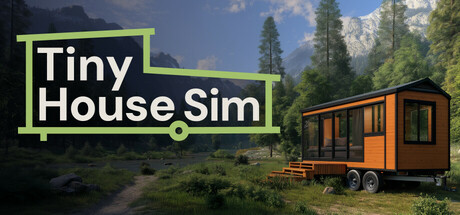
Tiny House Simulator is an engaging and relaxing lifestyle simulation game released in 2025 that taps into the popular minimalist architectural movement. Developed by BlueDot Games and published by RockGame, the title casts you as an ambitious independent contractor running a custom tiny home workshop. Your goal is to manage a growing business, taking on unique client commissions to design, build, and decorate highly space-efficient mobile homes tailored to distinct budgets and lifestyle needs.
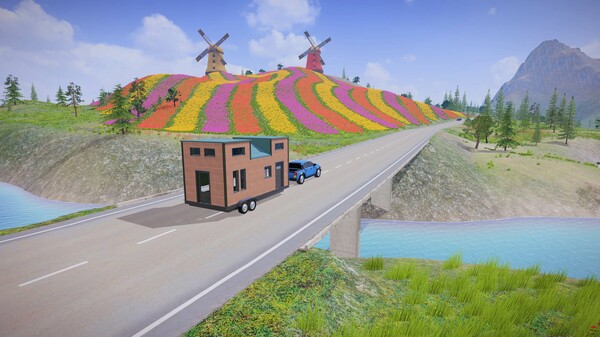
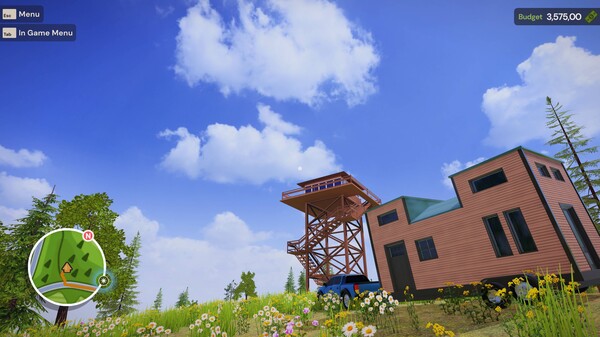
For PC players, the core gameplay loop expertly blends meticulous engineering with interior design creativity. You begin with a bare trailer chassis, constructing structural framing, installing insulation, and laying down utilities before diving into aesthetic customization. The sandbox mechanics require you to maximize every square inch using multifunctional furniture, modular kitchens, and innovative storage solutions. Once construction is complete, you can hitch the custom house to your truck and personally deliver it across a vibrant open world featuring distinct biomes like forests, beaches, and mountain retreats.
Visually, the game utilizes a clean, charming art style with highly detailed object physics and satisfying construction animations. The optimized PC version features intuitive mouse-driven building tools and expansive furniture catalogs. The digital installation requires 10 GB of available storage space on your hard drive or solid-state drive (SSD) to begin your building journey.
Before downloading make sure that your PC meets minimum system requirements
Minimum System Requirements
- OS: Windows 7 / 8 64bit
- Processor: AMD Ryzen 5 1st gen n
- Memory: 8 GB RAM
- Graphics: AMD Radeon RX 580 4GB
- DirectX: Version 11
- Storage: 6 GB available space
Screenshots
How to Install Tiny House Simulator?
- Download: Get the installer only from the official developer or a verified store.
- Run Setup: Double-click the official .exe file and follow the prompts.
- Default Path: Install to the recommended folder to ensure proper system permissions.
- Update: Run the game launcher to download any official security patches.
- Launch: Open the game via the official desktop shortcut.