Apunkagames Official Site – Games Download For PC Apunkagames Official Site — Discover detailed PC game guides, accurate system requirements, screenshots, and verified official download links for top Windows games.
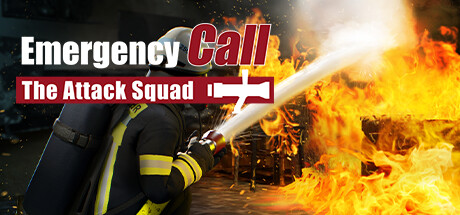
Emergency Call 112 is an immersive simulation game that puts players in the boots of a professional firefighter. Developed as a sequel, the game significantly steps up the realism by accurately recreating the daily operations of a large-scale fire station. Players can experience the tension and responsibility of answering urgent emergency calls, managing top-tier equipment, and coordinating complex rescue missions in a highly detailed urban environment.
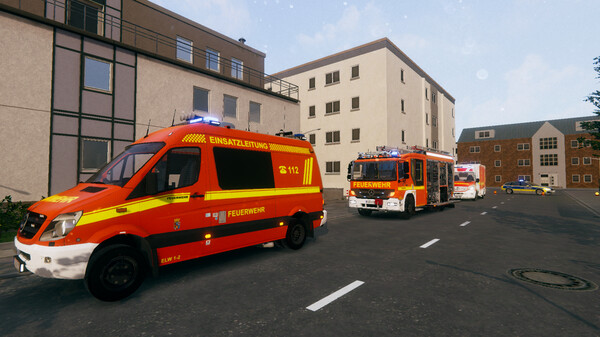
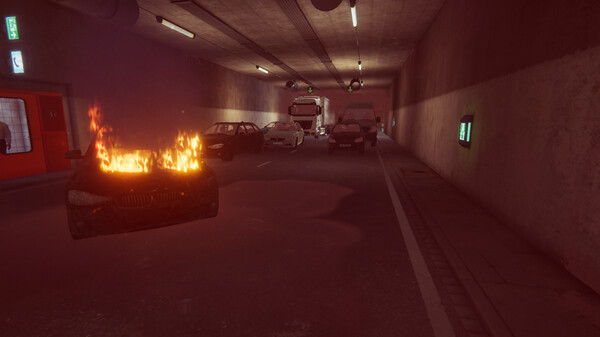
The core gameplay centers on authenticity, featuring meticulously modeled emergency vehicles like the turntable ladder and swap-body trucks. You are not just driving to a scene; you must actively operate the tools, manage water pressure, and execute tactical decisions during intense situations. From fighting apartment fires to clearing traffic accidents and dealing with hazardous materials, the varied missions require tactical planning and teamwork, whether playing alone with AI or teaming up with friends in multiplayer mode.
What sets this simulation apart is its focus on realistic physics and interactive systems. The developers cooperated closely with the professional fire brigade in Mülheim an der Ruhr to ensure that tactics, procedures, and vehicle layouts mirror actual German firefighting protocols. This attention to detail creates a challenging experience that rewards patience, quick thinking, and strict adherence to safety procedures, making it a standout title for fans of serious simulation games.
Before downloading make sure that your PC meets minimum system requirements
Minimum System Requirements
- OS: Windows 10/11
- Processor: AMD Ryzen 3 1500X / Intel i5-6600K
- Memory: 8 GB RAM
- Graphics: GPU mit 4 GB VRAM, Nvidia GeForce GTX 1060
- DirectX: Version 11
Screenshots
How to Install Emergency Call 112?
- Download: Get the installer only from the official developer or a verified store.
- Run Setup: Double-click the official .exe file and follow the prompts.
- Default Path: Install to the recommended folder to ensure proper system permissions.
- Update: Run the game launcher to download any official security patches.
- Launch: Open the game via the official desktop shortcut.