Apunkagames Official Site – Games Download For PC Apunkagames Official Site — Discover detailed PC game guides, accurate system requirements, screenshots, and verified official download links for top Windows games.
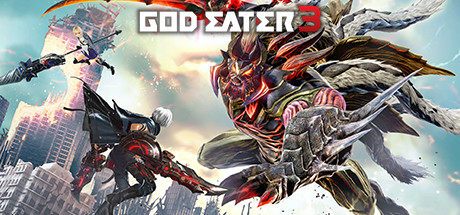
God Eater 3 is a high-speed, post-apocalyptic action-RPG released in 2019 that elevates the frantic monster-hunting subgenre. Developed by Marvelous First Studio and published by Bandai Namco, the narrative introduces a ruined world devastated by Ash Aragami—colossal, evolving beasts that consume everything in their path. Players step into the boots of an Adaptive God Eater (AGE), a specialized, enslaved warrior capable of surviving the lethal Ashlands, fighting to break their chains and secure humanity’s survival.
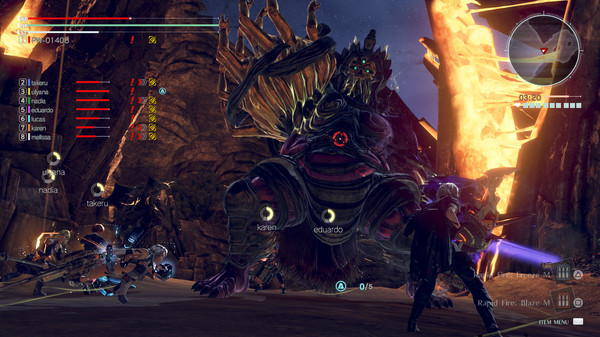
For PC players, the game delivers lightning-fast, vertical combat mechanics. Armed with the iconic God Arc weapons, you can instantly transform your gear between massive melee blades, heavy ranged firearms, and shield configurations on the fly. The game introduces the high-velocity “Dive” maneuver for rapid battlefield traversal, and the “Biting Edge” and “Heavy Moon” weapon types. Mechanics center heavily on devouring parts of living Aragami to trigger a powerful “Burst Mode,” unlocking devastating special attacks and giving you access to the team-buffing “Engage” system during intense hunts.
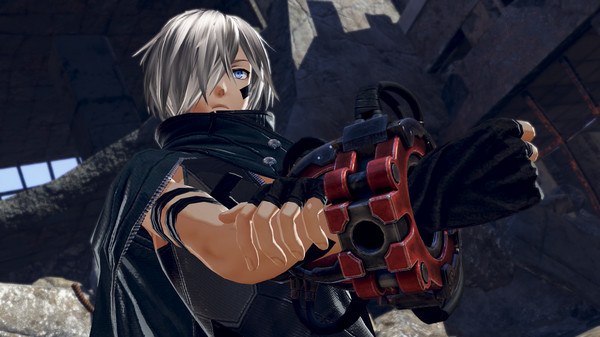
Visually, the game utilizes a vibrant, sleek anime aesthetic with flashy particle effects and smooth animations. The PC port features unlocked framerates, robust optimization, and fluid multiplayer co-op options. The installation requires 25 GB of available storage space on your hard drive or solid-state drive (SSD).
Before downloading make sure that your PC meets minimum system requirements
Minimum System Requirements
- OS: Windows 7 / 8 64-bit, SP1
- Processor: Intel Core i5-3470 or AMD FX-8120
- Memory: 4 GB RAM
- Graphics: GeForce GTX 760 or Radeon R9 290X
- DirectX: Version 11
- Storage: 25 GB available space
Screenshots
How to Install God Eater 3?
- Download: Get the installer only from the official developer or a verified store.
- Run Setup: Double-click the official .exe file and follow the prompts.
- Default Path: Install to the recommended folder to ensure proper system permissions.
- Update: Run the game launcher to download any official security patches.
- Launch: Open the game via the official desktop shortcut.