Apunkagames Official Site – Games Download For PC Apunkagames Official Site — Discover detailed PC game guides, accurate system requirements, screenshots, and verified official download links for top Windows games.
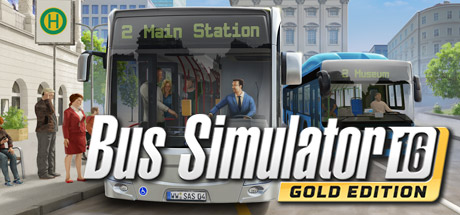
Bus Simulator 16 is an immersive and highly detailed vehicle simulation game released in 2016 that puts you in the driver’s seat of a booming public transit company. Developed by stillalive studios and published by astragon Entertainment, the gameplay challenges you to transition from a rookie driver in the fictional city of Sunny Springs into a successful transport mogul by managing routes, schedules, and a growing fleet of officially licensed vehicles.
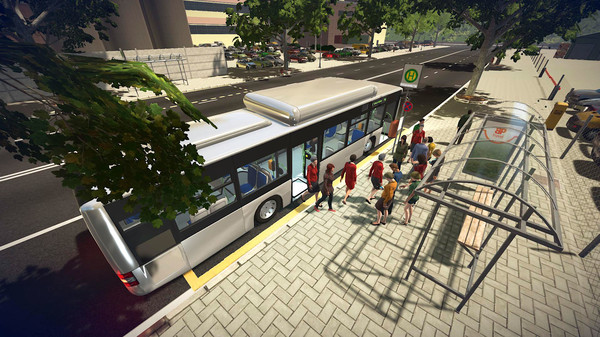
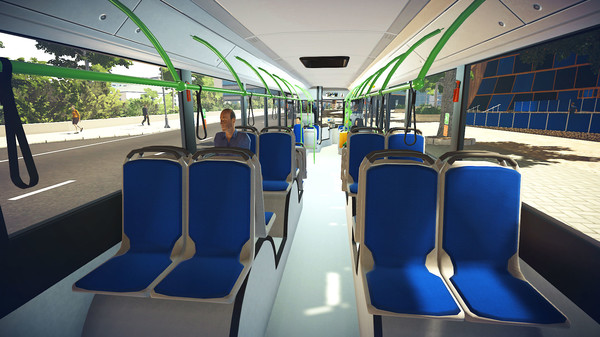
For PC players, the experience goes far beyond simply steering a massive bus. The comprehensive mechanical loop requires you to master realistic dashboard controls, navigate complex urban traffic, lower the chassis for passengers with accessibility needs, and maintain a strict schedule. Additionally, you act as the conductor—operating the ticketing machine to hand out correct change and managing unpredictable passenger events, such as stuck doors, rowdy commuters, and medical emergencies.
Visually, the game features a large, fully accessible city divided into distinct districts like suburban neighborhoods, industrial zones, and the bustling downtown core. It includes a robust management system where you hire drivers and customize your fleet’s paint jobs and decals. The digital installation requires 5 GB of available storage space on your hard drive or solid-state drive (SSD) to begin your route.
Before downloading make sure that your PC meets minimum system requirements
Minimum System Requirements
- OS: Windows 7/8/10 64 bit
- Processor: Intel Core i3 with 3.3 GHz
- Memory: 4 GB RAM
- Graphics: GeForce GTX 470 (1 GB VRAM)
- DirectX: Version 9.0
- Storage: 5 GB available space
Screenshots
How to Install Bus Simulator 16?
- Download: Get the installer only from the official developer or a verified store.
- Run Setup: Double-click the official .exe file and follow the prompts.
- Default Path: Install to the recommended folder to ensure proper system permissions.
- Update: Run the game launcher to download any official security patches.
- Launch: Open the game via the official desktop shortcut.