Apunkagames Official Site – Games Download For PC Apunkagames Official Site — Discover detailed PC game guides, accurate system requirements, screenshots, and verified official download links for top Windows games.
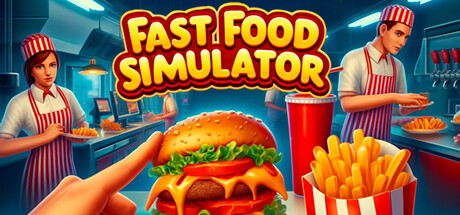
Fast Food Simulator is an immersive, first-person simulation game developed and published by No Ceiling Games. Released as an Early Access title, the game drops players straight into the frantic, high-stakes environment of running a bustling fast-food joint. It offers both a solo mode for players who want to test their individual multi-tasking skills and an online co-op mode that supports up to six players, allowing friends to team up and tackle the chaotic restaurant environment together.
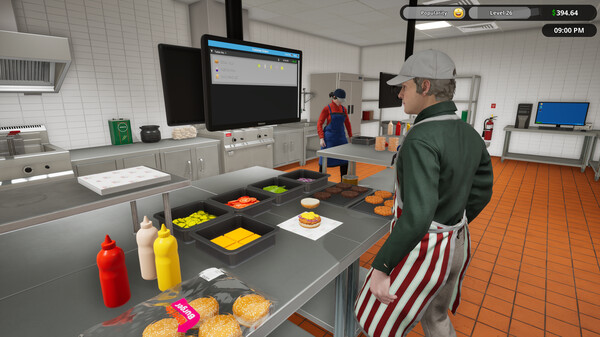
The core gameplay centers on the daily, realistic operations of a fast-food business, requiring players to take on multiple roles simultaneously. You are responsible for interacting with customers, taking precise orders, and preparing food. The kitchen mechanics are highly interactive, challenging you to operate drink machines, flip burgers on the grill, and manage the deep fryers safely. Beyond food preparation, players must focus on effective time management, delegating tasks among the crew, and using earnings to customize characters and expand the restaurant.
While the game features a highly positive foundation of lifetime reviews on Steam due to its fun multiplayer dynamic, recent community feedback has shifted to a mixed reception. Many players note that the game’s chaotic structure is highly entertaining with friends but can feel like a repetitive grind when played alone. Since its launch, players have enjoyed the deep challenge of keeping up with demanding drive-thru lines and the bizarre, unexpected events that pop up during a shift.
Before downloading make sure that your PC meets minimum system requirements
Minimum System Requirements
- OS: Windows 10 64-bit
- Processor: Intel i5 4690 / AMD FX 8350
- Memory: 8 GB RAM
- Graphics: Nvidia GTX 1050 / RX 570
- DirectX: Version 11
- Storage: 5 GB available space
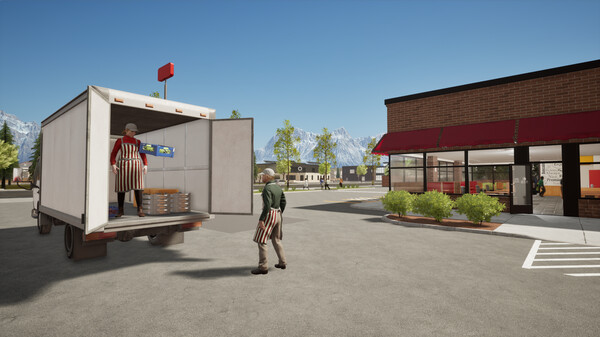
Screenshots
How to Install Fast Food Simulator?
- Download: Get the installer only from the official developer or a verified store.
- Run Setup: Double-click the official .exe file and follow the prompts.
- Default Path: Install to the recommended folder to ensure proper system permissions.
- Update: Run the game launcher to download any official security patches.
- Launch: Open the game via the official desktop shortcut.