Apunkagames Official Site – Games Download For PC Apunkagames Official Site — Discover detailed PC game guides, accurate system requirements, screenshots, and verified official download links for top Windows games.
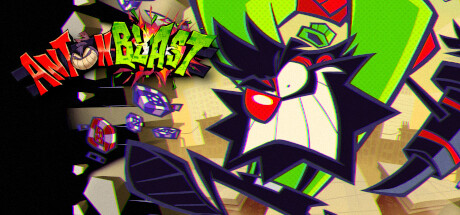
ANTONBLAST is a fast-paced, explosive 2D action-platformer developed by Summitsphere. The game centers around the enraged Dynamite Anton, or his equally high-energy coworker Annie, on a destructive mission to retrieve their prized Spirit collection from Satan himself. Teaming up with a disgruntled casino owner named Brulo, players must tear through a variety of surreal, chaotic worlds using Anton’s signature weapon, the Mighty F’n Hammer, to demolish anything blocking their path.
The core gameplay loop revolves around high-momentum exploration and complete environmental destruction. In each level, players are tasked with finding Anton’s stolen spirits, setting up Brulo’s detonators, and executing a frantic, heart-pounding escape back to the start before “Happy Hour” ends and everything blows up. Featuring massive, screen-filling boss fights and highly destructible 2.5D levels, the game rewards a dynamic playstyle that accommodates both meticulous hidden-secret hunters and intense speedrunners alike.
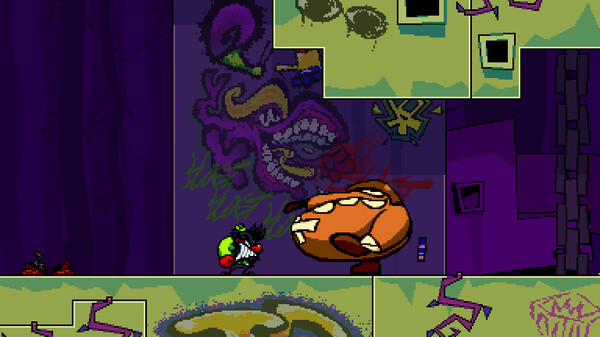
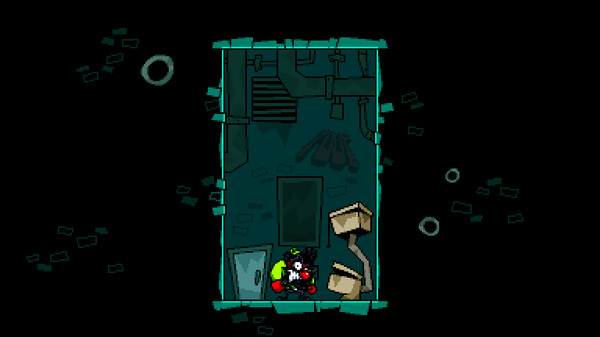
Visually, the title boasts a distinct, urban graffiti-inspired art style heavily influenced by retro comic books and classic handheld platformers. This hand-animated aesthetic is paired with a high-energy, pulsing soundtrack and bombastic sound design that heightens the game’s intentional sensory overload. It masterfully revives the spirit of vintage, attitude-heavy arcade platformers while providing robust modding support and modern, tight controls for contemporary players.
Before downloading make sure that your PC meets minimum system requirements
Minimum System Requirements
- OS: Windows 8 or later
- Processor: Intel Core 2 Duo 2.1 ghz
- Memory: 2 GB RAM
- Graphics: 2nd Generation Intel Core HD Graphics
- DirectX: Version 11
- Storage: 100 MB available space
Screenshots
How to Install ANTONBLAST?
- Download: Get the installer only from the official developer or a verified store.
- Run Setup: Double-click the official .exe file and follow the prompts.
- Default Path: Install to the recommended folder to ensure proper system permissions.
- Update: Run the game launcher to download any official security patches.
- Launch: Open the game via the official desktop shortcut.