Apunkagames Official Site – Games Download For PC Apunkagames Official Site — Discover detailed PC game guides, accurate system requirements, screenshots, and verified official download links for top Windows games.

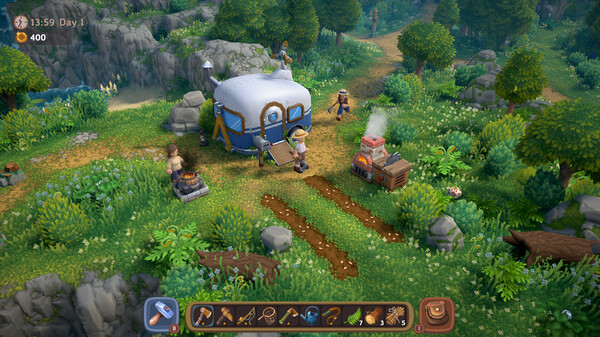
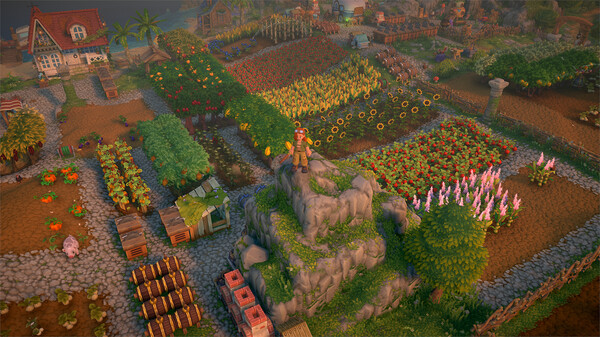
Luma Island is a charming, casual adventure game that masterfully blends the best elements of traditional farming simulators with deep RPG exploration. Developed and published by Feel Free Games, it transports players to a vibrant, magical island where they can build their dream homestead after purchasing an old farm and rustic caravan. The game instantly sets itself apart by completely eliminating typical genre stressors like inventory limits and stamina bars, offering a highly accessible, unrestrictive space for player creativity.
The core gameplay centers around cultivating crops, caring for animals, and upgrading your home, while also mastering various rewarding professions like mining, fishing, and cooking. What truly gives the game its namesake, however, are the Lumas—magical creatures that hatch from hidden eggs scattered across the land. These adorable companions possess unique, helpful abilities that assist you as you explore the island’s diverse landscapes, which range from lush forests and soaring mountains to a mysterious pirate cove.
Designed to be enjoyed in multiple ways, the game supports solo play or seamless online co-op with up to four players. It features adjustable difficulties, including a fully non-combat Cozy Mode, a balanced Adventure Mode, and a challenging Hero Mode, ensuring a tailored experience for every kind of player.
Before downloading make sure that your PC meets minimum system requirements
Minimum System Requirements
- OS: Windows 10
- Processor: Intel i5
- Memory: 8 GB RAM
- Graphics: NVIDIA GTX 1060
- DirectX: Version 11
- Storage: 7 GB available space
Screenshots
How to Install Luma Island?
- Download: Get the installer only from the official developer or a verified store.
- Run Setup: Double-click the official .exe file and follow the prompts.
- Default Path: Install to the recommended folder to ensure proper system permissions.
- Update: Run the game launcher to download any official security patches.
- Launch: Open the game via the official desktop shortcut.