Apunkagames Official Site – Games Download For PC Apunkagames Official Site — Discover detailed PC game guides, accurate system requirements, screenshots, and verified official download links for top Windows games.
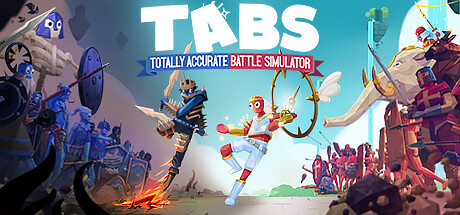
Totally Accurate Battle Simulator (TABS) is a brilliantly chaotic, physics-based tactical strategy game released in 2021 by Landfall. Moving away from the gritty realism of traditional war games, TABS embraces pure, unadulterated absurdity. Players orchestrate massive battle scenarios by placing various historical, mythological, and completely fictional armies across different maps, then hitting “Start” to watch the fight unfold via hilarious, unpredictable ragdoll physics simulations.
For PC players, the game delivers an addictive, sandbox-style strategy loop across several unique campaigns and creative modes. You manage a strict in-game budget to deploy units from wildly different factions—ranging from primitive Stone Age club-wielders and medieval knights to laser-blasting futuristic soldiers and literal gods. The game features a robust Unit Creator, allowing you to build completely custom fighters with unique stats, clothing, and custom-scripted abilities, alongside a dedicated first-person control mechanic that lets you possess any individual unit on the field to join the fray directly.
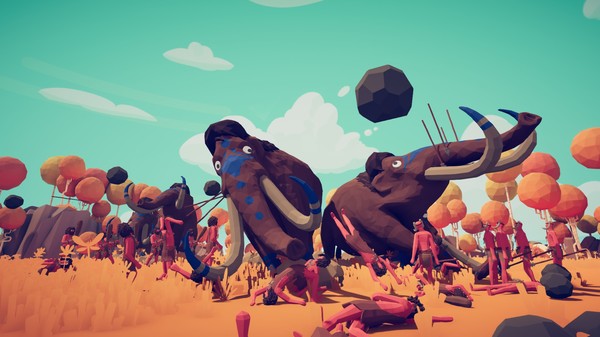
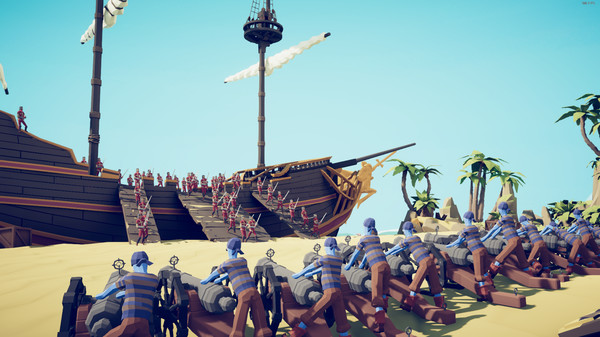
Visually, TABS relies on a colorful, minimalist art style featuring googly-eyed, floppy characters that bend and twist in impossible ways. This stylized choice keeps performance remarkably smooth even when hundreds of units clog the screen. The entire digital sandbox requires just 4 GB of available storage space on your hard drive or solid-state drive (SSD) to deploy.
Before downloading make sure that your PC meets minimum system requirements
Minimum System Requirements
- OS: Windows 7
- Processor: Intel Core i5-2400 3.1 GHz
- Memory: 8 GB RAM
- Graphics: NVIDIA GeForce GTX 670
- DirectX: Version 10
- Storage: 4 GB available space
Screenshots
How to Install Totally Accurate Battle Simulator?
- Download: Get the installer only from the official developer or a verified store.
- Run Setup: Double-click the official .exe file and follow the prompts.
- Default Path: Install to the recommended folder to ensure proper system permissions.
- Update: Run the game launcher to download any official security patches.
- Launch: Open the game via the official desktop shortcut.