Apunkagames Official Site – Games Download For PC Apunkagames Official Site — Discover detailed PC game guides, accurate system requirements, screenshots, and verified official download links for top Windows games.
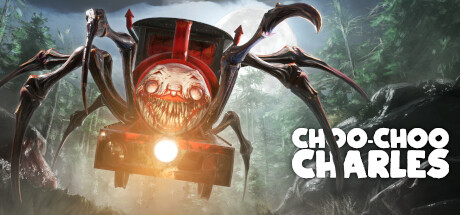
Choo-Choo Charles is a uniquely terrifying and darkly comical open-world survival horror game released in late 2022. Developed entirely by solo creator Gavin Eisenbeisz of Two Star Games, the narrative drops you onto the fictional island of Aranearum. Your goal is simple yet nightmarish: navigate a treacherous railway network to collect scrap metal, upgrade an old train, and ultimately hunt down and destroy Charles—a monstrous, sentient locomotive with a clown face and massive spider legs that roams the island searching for human prey.
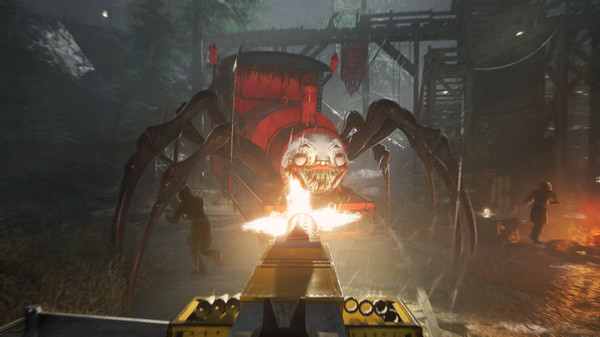
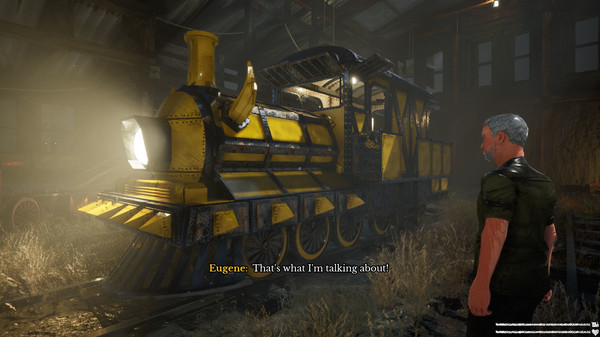
For PC players, the gameplay splits into two distinct loops. On foot, you explore the island to complete missions for quirky local NPCs and steal key items from masked cultists, all while remaining highly vulnerable to random spider-train ambushes. Back on your personal yellow steam train, the game transforms into an intense arcade shooter. You pilot the locomotive along winding tracks, managing speed while hopping onto the rear-mounted turret to blast Charles with machine guns, flamethrowers, and rocket launchers when he gives chase.
Visually, the game utilizes Unreal Engine to create a moody, fog-drenched atmosphere that enhances the tension. The digital installation requires 3 GB of available storage space on your hard drive or solid-state drive (SSD).
Before downloading make sure that your PC meets minimum system requirements
Minimum System Requirements
- OS: Windows 7 64-bit
- Processor: 2.5 GHz Quad-core Intel
- Memory: 4 GB RAM
- Graphics: NVIDIA GeForce 470 GTX
- Storage: 3 GB available space
Screenshots
How to Install Choo-Choo Charles?
- Download: Get the installer only from the official developer or a verified store.
- Run Setup: Double-click the official .exe file and follow the prompts.
- Default Path: Install to the recommended folder to ensure proper system permissions.
- Update: Run the game launcher to download any official security patches.
- Launch: Open the game via the official desktop shortcut.