Apunkagames Official Site – Games Download For PC Apunkagames Official Site — Discover detailed PC game guides, accurate system requirements, screenshots, and verified official download links for top Windows games.
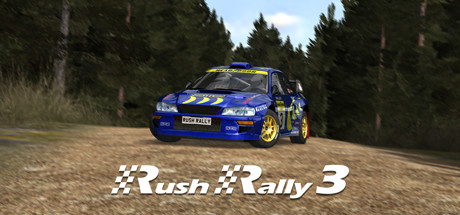
Rush Rally 3 is a highly acclaimed, realistic rally racing simulation developed and published by Brownmonster Limited. Originating as a standout title on mobile platforms, its transition to Steam brings authentic, high-speed off-road racing to PC gamers. The game is engineered to deliver an accessible yet deeply rewarding simulation experience, featuring a robust physics engine that realistically captures the intense dynamics of driving on the edge of control across diverse terrain types.
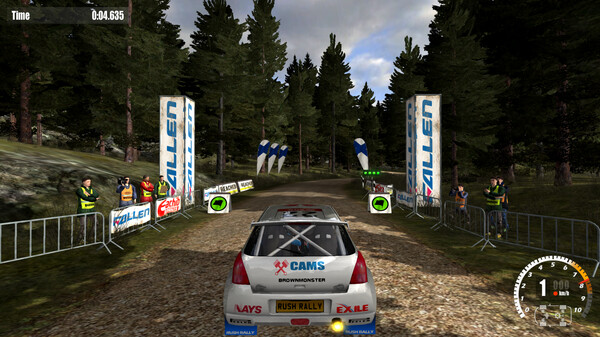
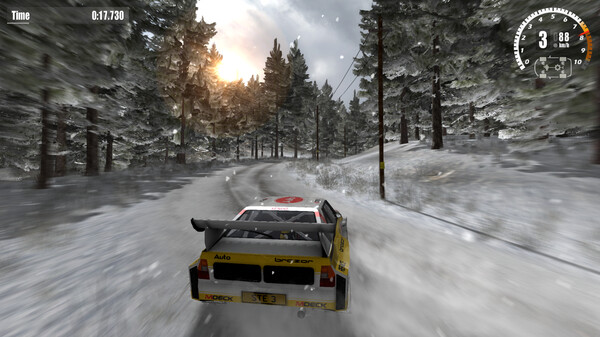
Players are treated to a massive variety of content, including a comprehensive career mode, single rallies, and cross-platform multiplayer races. The game boasts over 72 unique stages set across global environments such as gravel, tarmac, snow, sand, and ice, each presenting distinct handling challenges. A dynamic weather system and a full day-night cycle further alter track conditions, forcing drivers to constantly adapt their racing lines and breaking points to survive the grueling courses.
Beyond the track, customization and progression play a pivotal role in the gameplay loop. Rush Rally 3 features a detailed garage system where players can purchase, upgrade, tune, and visually customize a wide array of vehicles reminiscent of iconic real-world rally cars. A realistic vehicle damage model means that driving mistakes directly impact car performance, requiring strategic repairs between stages to keep the vehicle in peak racing condition.
Before downloading make sure that your PC meets minimum system requirements
Minimum System Requirements
- OS: Windows 7 64 Bit or newer
- Processor: Intel Core i3 4130T (2.9GHz)
- Memory: 2 GB RAM
- Graphics: Nvidia GeForce GTX 770 (1GB)
- DirectX: Version 11
- Storage: 300 MB available space
Screenshots
How to Install Rush Rally 3?
- Download: Get the installer only from the official developer or a verified store.
- Run Setup: Double-click the official .exe file and follow the prompts.
- Default Path: Install to the recommended folder to ensure proper system permissions.
- Update: Run the game launcher to download any official security patches.
- Launch: Open the game via the official desktop shortcut.