Apunkagames Official Site – Games Download For PC Apunkagames Official Site — Discover detailed PC game guides, accurate system requirements, screenshots, and verified official download links for top Windows games.
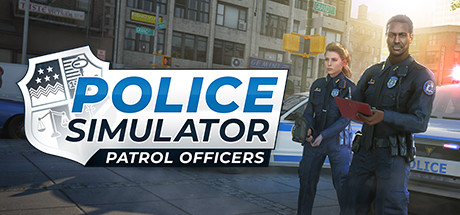
Police Simulator Patrol Officers is an immersive, realistic simulation game released in 2022 that drops you directly into the daily operational grind of a law enforcement officer. Developed by Aesir Interactive, the game is set in the fictional, sprawling American coastal metropolis of Brighton. You begin your career as a rookie officer picking up litter and ticketing parking violations, gradually earning promotion points to unlock distinct city districts, new patrol vehicles, and complex criminal scenarios.
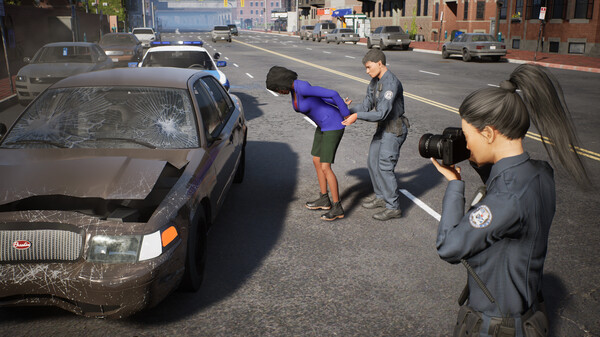
For PC players, the gameplay emphasizes an authentic, rule-bound approach to traffic stops and neighborhood patrols. The core mechanics require strict adherence to legal protocols; checking IDs, breathalyzing suspected drunk drivers, questioning witnesses at accident scenes, and issuing appropriate citations are all part of the daily routine. Making unlawful arrests or abusing your authority docks your “Conduct Points,” which can lead to a game over. The game also features a dynamic shift system and supports two-player online co-op for joint neighborhood patrols.
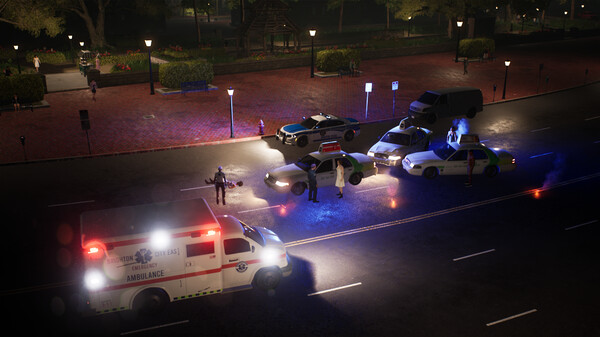
Visually, the game utilizes Unreal Engine 4 to build a living, breathing city complete with procedural traffic patterns and realistic pedestrian behaviors. The complete digital installation requires 12 GB of available storage space on your hard drive or solid-state drive (SSD) to begin your shift.
Before downloading make sure that your PC meets minimum system requirements
Minimum System Requirements
- OS: Windows 10 64-Bit
- Processor: Intel Core i3-2120 or higher
- Memory: 8 GB RAM
- Graphics: NVIDIA GeForce GTX 760 (2 GB VRAM)
- Network: Broadband Internet connection
- Storage: 12 GB available space
Screenshots
How to Install Police Simulator Patrol Officers?
- Download: Get the installer only from the official developer or a verified store.
- Run Setup: Double-click the official .exe file and follow the prompts.
- Default Path: Install to the recommended folder to ensure proper system permissions.
- Update: Run the game launcher to download any official security patches.
- Launch: Open the game via the official desktop shortcut.