Apunkagames Official Site – Games Download For PC Apunkagames Official Site — Discover detailed PC game guides, accurate system requirements, screenshots, and verified official download links for top Windows games.
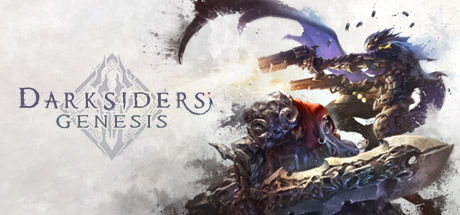
Darksiders Genesis is an action-packed top-down hack-and-slash adventure released in 2019 that serves as an official prequel spin-off to the celebrated apocalyptic franchise. Developed by Airship Syndicate and published by THQ Nordic, the narrative takes place long before the events of the original game, following the Horsemen War and Strife as they are deployed by the Charred Council into the depths of Hell to hunt down master demons and unravel a catastrophic conspiracy orchestrated by the demon king Lucifer.
For PC players, the game introduces a radical, refreshing perspective shift from third-person exploration to a classic isometric camera view, perfectly blending rapid combat with platforming and environmental puzzle solving. It marks the long-awaited debut of Strife as a playable character, offering a dual-protagonist swap mechanic. Players can seamlessly cycle between War’s brutal close-quarters sword combos and Strife’s high-velocity, twin-pistol ranged attacks, or team up with a partner for a seamless two-player online or local split-screen co-op campaign.
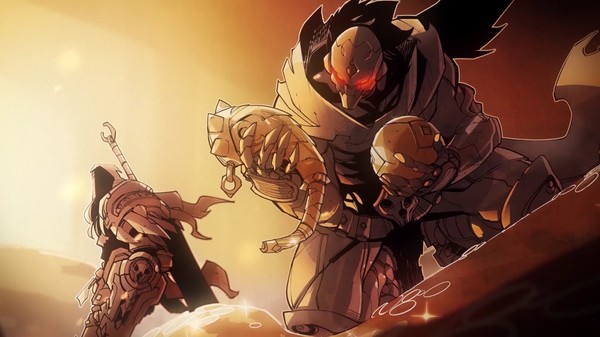
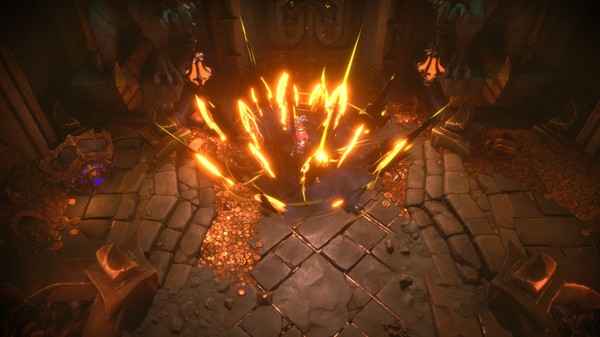
Visually, the game beautifully translates the franchise’s signature, comic-book-inspired art style into gorgeous isometric battlefields, featuring hyper-detailed demonic citadels, dynamic lighting effects, and massive screen-filling boss fights. The optimized engine delivers exceptionally smooth performance and responsive camera controls across a wide range of computer setups. The complete digital package requires 15 GB of available storage space on your hard drive or fast solid-state drive (SSD) to deploy.
Before downloading make sure that your PC meets minimum system requirements
Minimum System Requirements
- OS: Windows 7, 8, Windows 10 (64 bit)
- Processor: AMD FX-8320 (3.5 GHz) / Intel i5-4690K
- Memory: 4 GB RAM
- Graphics: NVIDIA GeForce GTX 960
- DirectX: Version 11
- Storage: 15 GB available space
Screenshots
How to Install Darksiders Genesis?
- Download: Get the installer only from the official developer or a verified store.
- Run Setup: Double-click the official .exe file and follow the prompts.
- Default Path: Install to the recommended folder to ensure proper system permissions.
- Update: Run the game launcher to download any official security patches.
- Launch: Open the game via the official desktop shortcut.