Apunkagames Official Site – Games Download For PC Apunkagames Official Site — Discover detailed PC game guides, accurate system requirements, screenshots, and verified official download links for top Windows games.

City Car Driving is a highly realistic car driving simulator designed to help players master the rules of the road and build practical behind-the-wheel confidence. Developed by Forward Development, this software serves as both a relaxing open-world driving experience and a serious educational tool. It places you in a large, bustling virtual city filled with unpredictable traffic conditions, changing weather cycles, and diverse road layouts.
For PC players, the game delivers an authentic physics engine that accurately replicates vehicle weight, steering feedback, and mechanical responses. It heavily emphasizes strict adherence to traffic laws, penalizing you for failing to use turn signals, running red lights, or ignoring pedestrian right-of-ways. The game supports a wide array of peripherals, including full 900-degree force-feedback steering wheels, gear shifters, and clutch pedals. A built-in autodrome lets you practice precise maneuvers like parallel parking, hill starts, and emergency braking.
Visually, the simulator focuses on clarity and situational awareness, featuring fully functional dashboard instruments and adjustable rearview mirrors. It also includes virtual reality (VR) support for enhanced immersion. The complete digital installation is lightweight, requiring 10 GB of available storage space on your hard drive or solid-state drive (SSD) to start your driving lessons.
Before downloading make sure that your PC meets minimum system requirements
Minimum System Requirements
- OS: Windows 7 SP1 / 8 / 8.1 / 10 (64 Bit)
- Processor: Intel Pentium Dual Core 3.2 GHz
- Memory: 4 GB RAM
- Graphics: AMD Radeon R7 240 / nVidia GeForce GT 740
- DirectX: Version 11
- Storage: 10 GB available space
Screenshots
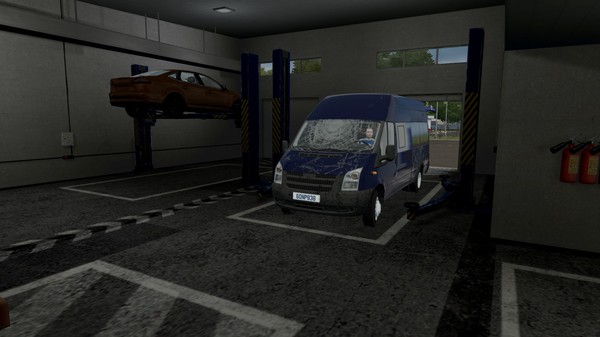
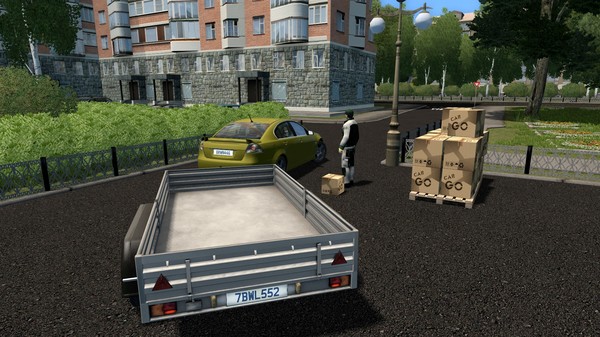
How to Install City Car Driving?
- Download: Get the installer only from the official developer or a verified store.
- Run Setup: Double-click the official .exe file and follow the prompts.
- Default Path: Install to the recommended folder to ensure proper system permissions.
- Update: Run the game launcher to download any official security patches.
- Launch: Open the game via the official desktop shortcut.