Apunkagames Official Site – Games Download For PC Apunkagames Official Site — Discover detailed PC game guides, accurate system requirements, screenshots, and verified official download links for top Windows games.
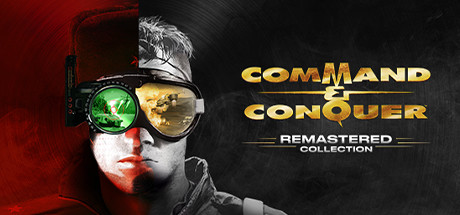
Command And Conquer Remastered Collection is a phenomenal real-time strategy package released in 2020 that beautifully revitalizes the genre-defining foundations of the RTS golden age. Developed by Petroglyph Games—comprising key veterans from the original Westwood Studios—alongside Lemon Sky Studios, this definitive collection bundles the fully rebuilt versions of Command & Conquer: Tiberian Dawn and Command & Conquer: Red Alert, including all three major expansion packs.
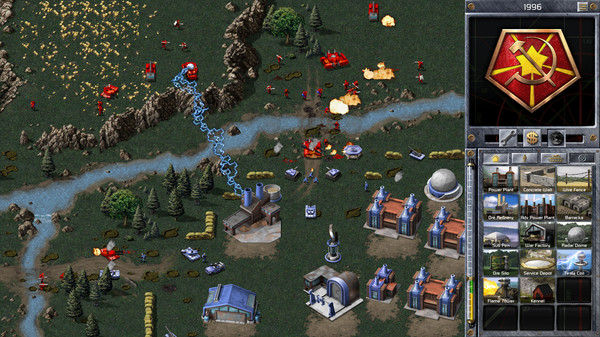
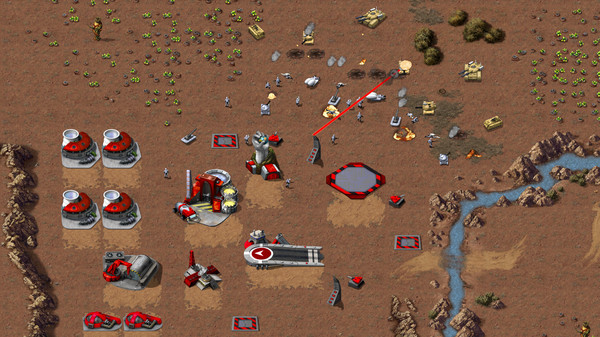
For PC players, the compilation masterfully preserves the classic, rapid-fire base building and tactical grid combat that fans adore while modernizing the overall user experience. The release introduces a completely redesigned Sidebar UI that drastically cuts down on scrolling, fully remapped modern control configurations, a custom map editor, and a completely rebuilt online multiplayer lobby system featuring competitive ladders and custom game modes.
Visually, the collection replaces the legacy pixel art with gorgeous, native 4K assets, allowing you to instantly toggle between original and remastered graphics in real time with a single keystroke. The package is crowned by over seven hours of re-recorded music by original composer Frank Klepacki and the famous Hell March. The complete digital installation requires 32 GB of available storage space on your hard drive or solid-state drive (SSD) to deploy your armies.
Before downloading make sure that your PC meets minimum system requirements
Minimum System Requirements
- OS: Windows 8 / 10 (64-bit Version)
- Processor: Intel Core 2 Duo E4600 2.4ghz
- Memory: 4 GB RAM
- Graphics: NVIDIA GeForce GT 420
- DirectX: Version 11
- Storage: 32 GB available space
Screenshots
How to Install?
- Download: Get the installer only from the official developer or a verified store.
- Run Setup: Double-click the official .exe file and follow the prompts.
- Default Path: Install to the recommended folder to ensure proper system permissions.
- Update: Run the game launcher to download any official security patches.
- Launch: Open the game via the official desktop shortcut.