Apunkagames Official Site – Games Download For PC Apunkagames Official Site — Discover detailed PC game guides, accurate system requirements, screenshots, and verified official download links for top Windows games.
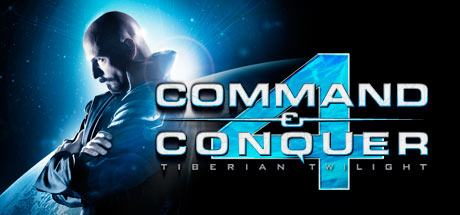
Command And Conquer 4 Tiberian Twilight is a controversial real-time strategy title released in 2010 that serves as the final chapter in the legendary Tiberium saga. Developed by EA Los Angeles, the narrative concludes the epic, decades-long conflict between the Global Defense Initiative (GDI) and the Brotherhood of Nod, forced into an uneasy alliance by the prophetic Kane to construct the Tiberium Control Network and save Earth from total ecological collapse.
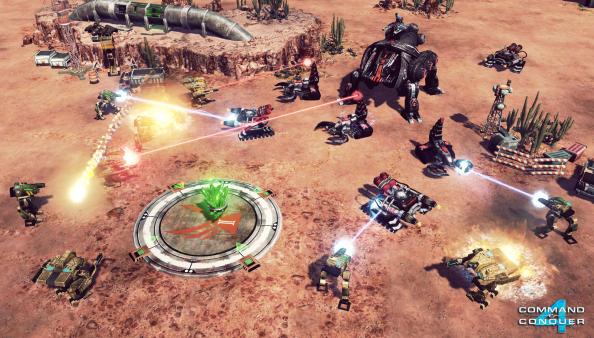
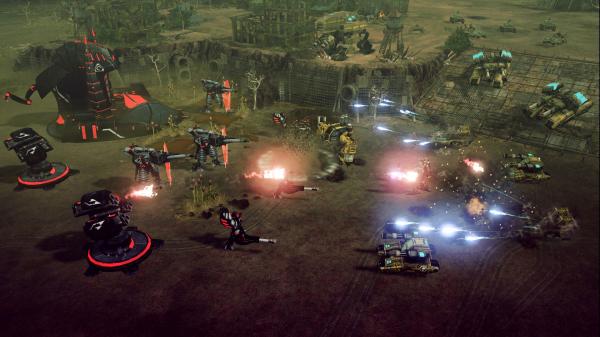
For PC players, the gameplay represents a radical and polarizing departure from traditional RTS mechanics. The game completely discards classic base-building and resource harvesting in favor of high-mobility tactical combat centered around a massive, walking mobile base called the Crawler. Players choose from three distinct class archetypes—Offense, Defense, or Support—and deploy to the battlefield in a style heavily inspired by multiplayer arena games, utilizing continuous unit respawns and tactical control-point capture mechanics rather than standard annihilation goals.
Visually, the game utilizes an upgraded version of the RNA engine to deliver vibrant, particle-heavy futuristic battlefields and massive mechanical units. The complete digital package requires 10 GB of available storage space on your hard drive or solid-state drive (SSD) to witness the end of the Tiberium era.
Before downloading make sure that your PC meets minimum system requirements
Minimum System Requirements
- OS: Windows XP / 7 / 8 / 10 / 11
- Processor: Intel Core 2 or better
- Memory: 1 GB
- Hard Drive: At least 10 GB of free space
- Graphics: Nvidia GeForce 6800 or better
- Sound: DirectX 9.0c compatible sound card
- DirectX: DirectX 9.0c
Screenshots
How to Install?
- Download: Get the installer only from the official developer or a verified store.
- Run Setup: Double-click the official .exe file and follow the prompts.
- Default Path: Install to the recommended folder to ensure proper system permissions.
- Update: Run the game launcher to download any official security patches.
- Launch: Open the game via the official desktop shortcut.