Apunkagames Official Site – Games Download For PC Apunkagames Official Site — Discover detailed PC game guides, accurate system requirements, screenshots, and verified official download links for top Windows games.
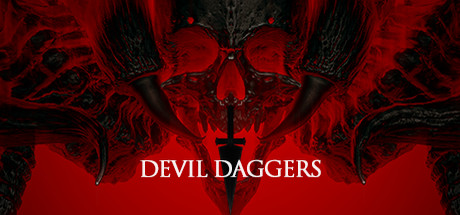
Devil Daggers is a blistering, fast-paced arcade shooter that strips the first-person genre down to its absolute, mechanics-driven core. Released by Sorath, the game drops you into a flat, dimly lit arena surrounded by an endless abyss, tasking you with one brutal goal: survive for as long as possible. There are no health packs, no checkpoints, and no complex inventory management. You are armed only with your own fingers, which fire an infinite stream of daggers, either like a rapid-fire machine gun or a powerful, close-range shotgun.
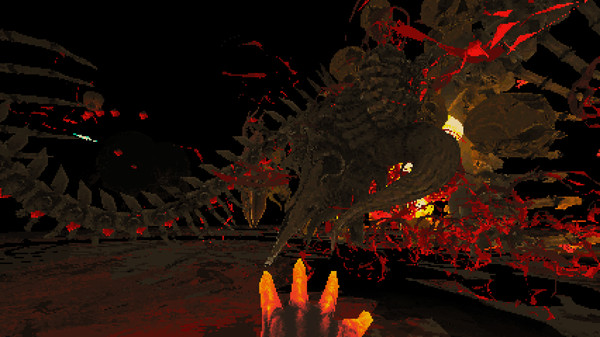
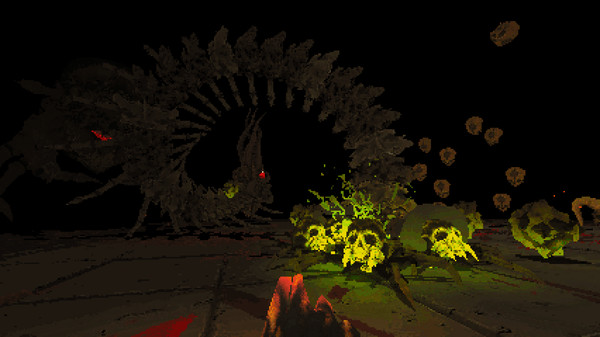
The gameplay is defined by its relentless, overwhelming intensity and an extremely high skill ceiling. Monstrous, abstract entities—vaguely resembling skeletal structures, giant insects, and undulating columns—constantly spawn from the darkness, hunting you down with terrifying speed. Every single enemy type has a distinct audio cue and movement pattern, turning the game into an aggressive, fluid dance of spatial awareness and precise aim. Touching an enemy or falling off the arena edge results in instant death, forcing you to restart the run immediately.
Visually, Devil Daggers embraces a striking retro aesthetic inspired by 1990s software-rendered graphics, complete with pixelated textures and intentionally jittery polygon models. This low-fidelity style, paired with an oppressive, dark atmosphere, creates a surreal and claustrophobic nightmare. Your survival time is recorded down to the millisecond on global leaderboards, where a run lasting just a few minutes places you among the elite. It is a pure, uncompromising test of twitch reflexes and muscle memory.
Before downloading make sure that your PC meets minimum system requirements
Minimum System Requirements
- OS: Windows 7 / 8 / 10
- Processor: 2.0 GHz dual core or better
- Memory: 1024 MB RAM
- Graphics: Dedicated GPU with OpenGL 3.3 support
- Storage: 500 MB available space
Screenshots
How to Install Devil Daggers?
- Download: Get the installer only from the official developer or a verified store.
- Run Setup: Double-click the official .exe file and follow the prompts.
- Default Path: Install to the recommended folder to ensure proper system permissions.
- Update: Run the game launcher to download any official security patches.
- Launch: Open the game via the official desktop shortcut.