Apunkagames Official Site – Games Download For PC Apunkagames Official Site — Discover detailed PC game guides, accurate system requirements, screenshots, and verified official download links for top Windows games.
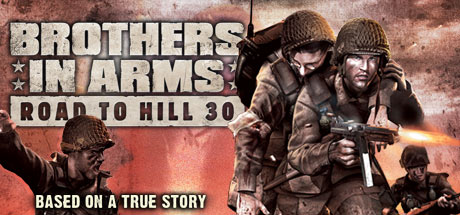
Brothers in Arms Road to Hill 30 is a critically acclaimed tactical shooter that sets itself apart from standard run-and-gun World War II games. Developed by Gearbox Software and released in 2005, it focuses on realism and historical accuracy. The narrative follows Sergeant Matt Baker of the 101st Airborne Division as he leads his squad through the chaotic days surrounding the D-Day invasion of Normandy, emphasizing the heavy emotional burden of leadership.
The gameplay relies heavily on genuine small-unit tactics rather than solo heroism, introducing a unique “Four Fs” system: Find, Fix, Flank, and Finish. Players must coordinate two separate fireteams—a fire team to suppress the enemy with heavy rifle fire and an assault team to maneuver around cover. Rushing blindly into the open usually results in immediate failure, forcing players to think like actual military commanders to survive.
Based on the real-world experiences of the 502nd Parachute Infantry Regiment, the levels are meticulously modeled after real aerial reconnaissance photos and historical maps of France. It remains a standout title for players seeking an authentic, strategic, and narrative-driven tactical experience. For those interested in classic tactical shooters, it is available for purchase and download on the Steam store platform.
Before downloading make sure that your PC meets minimum system requirements
Minimum System Requirements
- OS: Windows 2000/XP (only)
- Processor: 1 GHz Pentium III or AMD Athlon
- Memory: 1 GB
- Graphics: 32 MB DirectX 9.0c compliant
- DirectX Version: DirectX 9.0c (included)
- Hard Drive: 5 GB
Screenshots
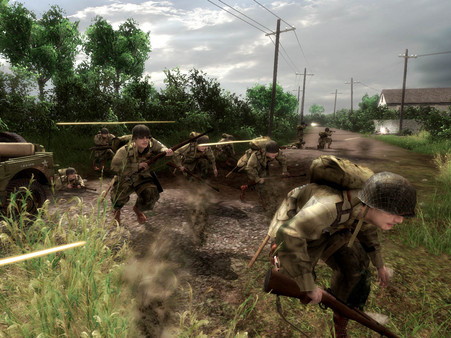
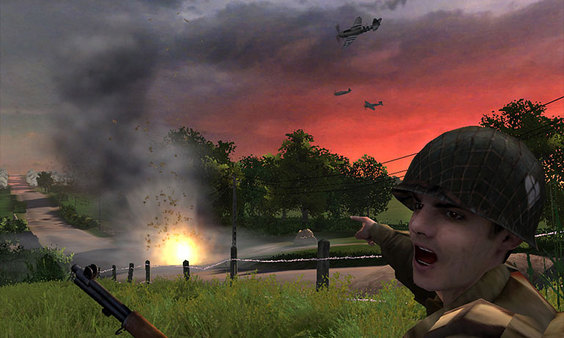
How to Install?
- Download: Get the installer only from the official developer or a verified store.
- Run Setup: Double-click the official .exe file and follow the prompts.
- Default Path: Install to the recommended folder to ensure proper system permissions.
- Update: Run the game launcher to download any official security patches.
- Launch: Open the game via the official desktop shortcut.