Apunkagames Official Site – Games Download For PC Apunkagames Official Site — Discover detailed PC game guides, accurate system requirements, screenshots, and verified official download links for top Windows games.
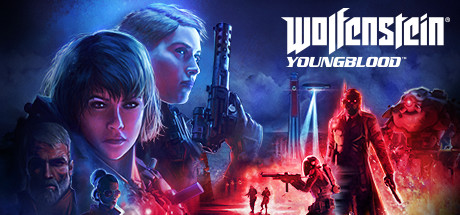
Wolfenstein Youngblood is a fast-paced, co-op-driven first-person shooter released in 2019 that offers a fresh, generational spin on the iconic Nazi-slaying franchise. Developed by MachineGames in collaboration with Arkane Studios, the narrative jumps forward to an alternate-history 1980s Paris. The story follows Jess and Soph Blazkowicz—the twin daughters of series protagonist B.J. Blazkowicz—as they embark on a rebellious, action-packed search to locate their missing father and liberate the French capital from the regime’s grip.
For PC players, the game introduces a drastic shift in mechanics, adopting a non-linear hub-and-spoke design and light RPG progression elements. Players choose between the two sisters to tackle missions solo with an AI companion or via seamless two-player online co-op. Combat is incredibly aggressive, utilizing shared life pools, dynamic “Pep Signals” to buff your partner, and heavy armor-matching mechanics that force you to swap weapons depending on enemy defenses.
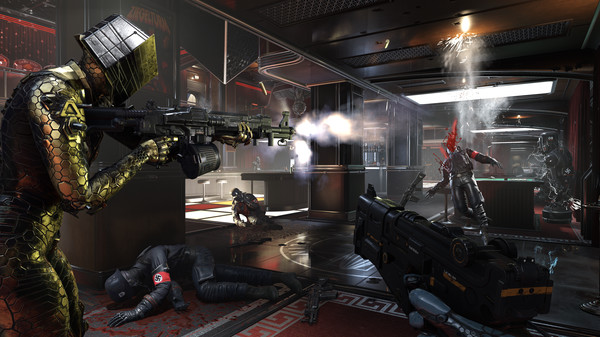
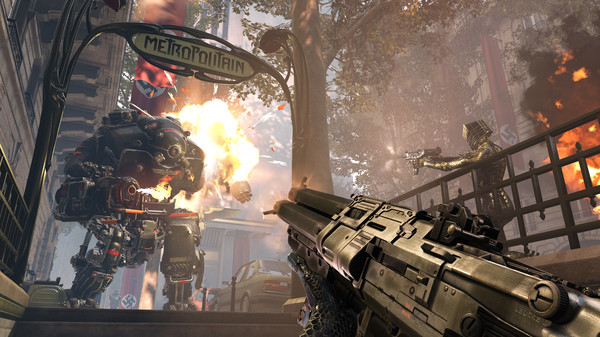
Visually, the id Tech 6 engine delivers a vibrant, neon-soaked cyberpunk aesthetic juxtaposed against brutalist architecture. The PC version scales beautifully, offering uncapped framerates and expansive graphical customization. The complete digital package requires 40 GB of available storage space on your hard drive or fast solid-state drive (SSD) to deploy.
Before downloading make sure that your PC meets minimum system requirements
Minimum System Requirements
- OS: Windows 7 / 8 / 10 / 11
- Processor: AMD FX-8350/Ryzen 5 1400
- Memory: 8 GB RAM
- Graphics: Nvidia GTX 770 4GB
- Storage: 40 GB available space
Screenshots
How to Install Wolfenstein Youngblood?
- Download: Get the installer only from the official developer or a verified store.
- Run Setup: Double-click the official .exe file and follow the prompts.
- Default Path: Install to the recommended folder to ensure proper system permissions.
- Update: Run the game launcher to download any official security patches.
- Launch: Open the game via the official desktop shortcut.