Apunkagames Official Site – Games Download For PC Apunkagames Official Site — Discover detailed PC game guides, accurate system requirements, screenshots, and verified official download links for top Windows games.
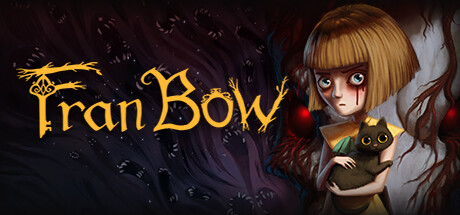
Fran Bow is a psychological horror adventure game that follows the journey of a young, deeply traumatized girl named Fran. After witnessing the brutal murder of her parents, Fran flees into the woods with her only companion, a black cat named Mr. Midnight. She is later found and confined to Oswald Asylum, a restrictive mental institution for children. Driven by an intense desire to find her beloved cat and return home to her Aunt Grace, Fran plans a daring escape from the eerie facility.
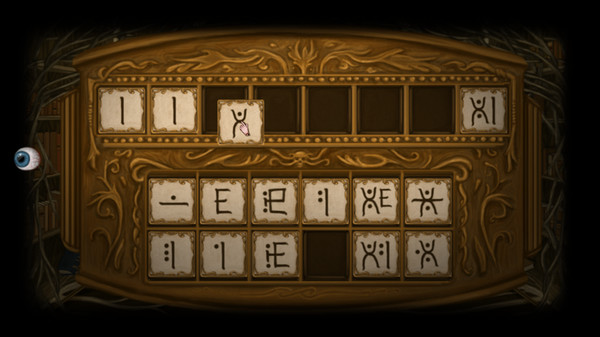
The core gameplay centers on a unique point-and-click puzzle mechanic driven by Fran’s prescription medication, Duotine. When players administer these pills, Fran experiences a vivid, gory alternate reality that reveals hidden layers of the environment, unsettling secrets, and cryptic clues. Navigating between the grim physical world and this hyper-violent, nightmarish dimension is essential to solving the game’s intricate puzzles and advancing through its dark narrative.
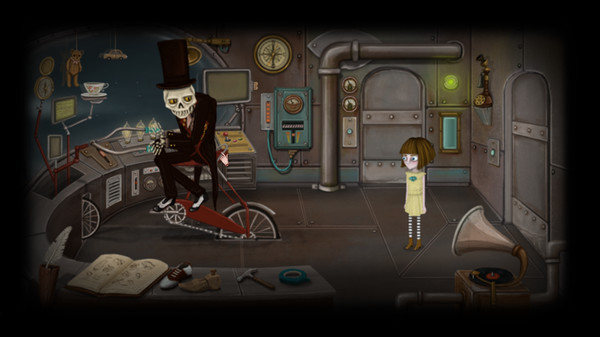
Visually and atmospherically, the game sets itself apart with a creepy yet whimsical hand-drawn art style reminiscent of a dark fairy tale. As Fran journeys through various strange realms, she encounters an array of peculiar creatures, quirky spirits, and daunting challenges that test her resolve. It blends heavy themes of childhood trauma and loss with a hauntingly beautiful aesthetic, delivering an unforgettable psychological horror experience.
Before downloading make sure that your PC meets minimum system requirements
Minimum System Requirements
- OS: Windows 7 / 8 /10
- Processor: 1.7 GHz Dual Core
- Memory: 2 GB RAM
- Graphics: NVIDIA GeForce GTX 260
- Storage: 5 GB available space
Screenshots
How to Install Fran Bow?
- Download: Get the installer only from the official developer or a verified store.
- Run Setup: Double-click the official .exe file and follow the prompts.
- Default Path: Install to the recommended folder to ensure proper system permissions.
- Update: Run the game launcher to download any official security patches.
- Launch: Open the game via the official desktop shortcut.