Apunkagames Official Site – Games Download For PC Apunkagames Official Site — Discover detailed PC game guides, accurate system requirements, screenshots, and verified official download links for top Windows games.
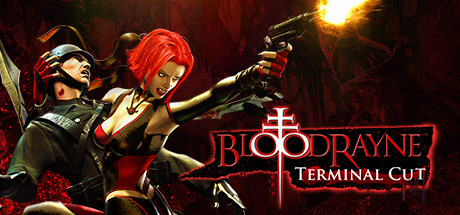
BloodRayne Terminal Cut is an exceptional, modernized remaster of the iconic 2002 hack-and-slash action game that defined a generation of dark-fantasy gaming. Developed by Terminal Reality and published by Ziggurat Interactive, the narrative tracks Rayne, a dhampir—the lethal offspring of a human and a vampire. Operating as a top operative for the secretive Brimstone Society, Rayne embarks on a brutal, globe-spanning mission to hunt down supernatural anomalies and dismantle a rogue Nazi occult faction seeking ancient artifacts to conquer the world.
For PC players, this enhanced release revives the game’s incredibly fast-paced, acrobatic combat loop for contemporary systems. Armed with her signature twin arm-blades and a massive arsenal of firearms, Rayne slices through hordes of mutated creatures and enemy soldiers. The gameplay masterfully balances high-speed traversal with vampiric abilities, allowing you to activate slow-motion perception, zoom in on distant targets, and latch onto enemies to drain their blood to restore your health.
Visually, the Terminal Cut edition provides a massive engine upgrade, featuring support for up to 4K resolutions, uncompressed original textures, optimized dynamic lighting, and enhanced reflections. The digital package requires 12 GB of available storage space on your hard drive or solid-state drive (SSD) to deploy.
Before downloading make sure that your PC meets minimum system requirements
Minimum System Requirements
- OS: Windows 8 / 10 / 11
- Processor: Intel 4th Generation Core i3, i5, i7
- Memory: 2 GB RAM
- Graphics: Intel HD Graphics 520
- Storage: 12 GB available space
Screenshots
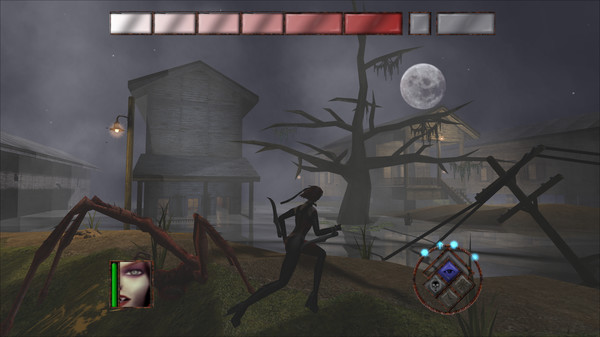
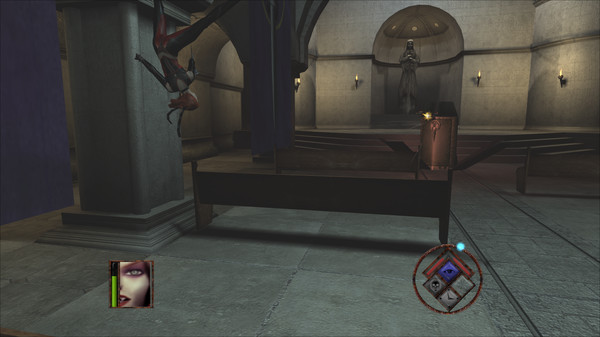
How to Install BloodRayne Terminal Cut?
- Download: Get the installer only from the official developer or a verified store.
- Run Setup: Double-click the official .exe file and follow the prompts.
- Default Path: Install to the recommended folder to ensure proper system permissions.
- Update: Run the game launcher to download any official security patches.
- Launch: Open the game via the official desktop shortcut.