Apunkagames Official Site – Games Download For PC Apunkagames Official Site — Discover detailed PC game guides, accurate system requirements, screenshots, and verified official download links for top Windows games.

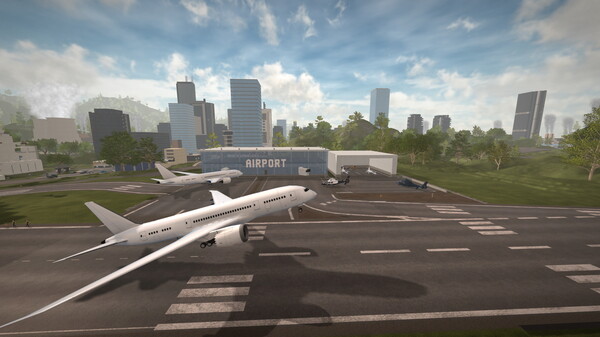
Technicity is an immersive first-person city-building and sandbox simulation game that breaks away from traditional top-down management perspectives. Developed by Osaris Games and published by RockGame S.A., this title places players directly on the ground to construct massive urban landscapes. Operating from a first-person viewpoint, you get to experience the sheer scale of your architectural ambitions, shaping a massive open world that spans an impressive 384 square kilometers of traversable terrain.
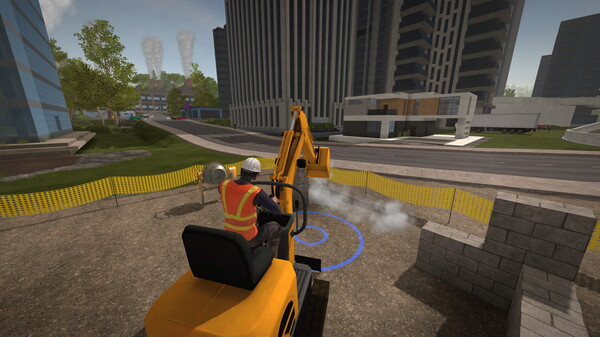
The core gameplay centers on unprecedented creative freedom through powerful construction and manufacturing tools. Beyond simply plopping down pre-made zones, players can design custom building blocks, unique furniture pieces, and intricate items inside specialized factories to build highly detailed houses or commercial hubs. Heavy machinery like cranes, bulldozers, and steamrollers can be operated to terraform the environment, allowing you to level hills or clear waypoints. You can also lay down complex road systems that seamlessly integrate into the game’s global navigation pathfinding.
Sharing and collaboration form the final cornerstone of the overall experience. The game features an open-ended progression loop that fully supports both solo play and online cooperative multiplayer, letting groups of friends establish interconnected cities together. Furthermore, full integration with the Steam Workshop allows the community to easily save custom structural blueprints as schematics, trade item designs, and share entirely modified maps, ensuring that your architectural engineering toolkit is continuously expanding.
Before downloading make sure that your PC meets minimum system requirements
Minimum System Requirements
- OS: Windows 7/8/10
- Processor: 3 GHz
- Memory: 8 GB RAM
- Graphics: nVidia 7XX+/AMD 7XXX+
- Storage: 2 GB available space
Screenshots
How to Install Technicity?
- Download: Get the installer only from the official developer or a verified store.
- Run Setup: Double-click the official .exe file and follow the prompts.
- Default Path: Install to the recommended folder to ensure proper system permissions.
- Update: Run the game launcher to download any official security patches.
- Launch: Open the game via the official desktop shortcut.