Apunkagames Official Site – Games Download For PC Apunkagames Official Site — Discover detailed PC game guides, accurate system requirements, screenshots, and verified official download links for top Windows games.

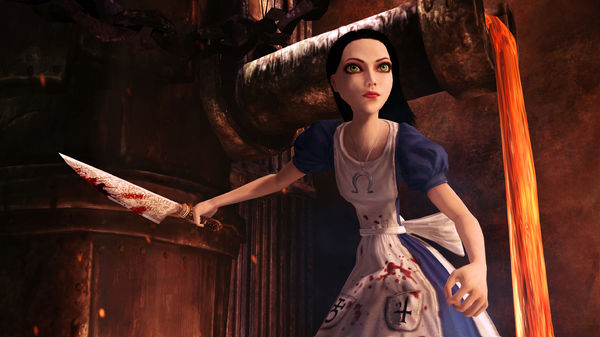
Alice Madness Returns is a psychological horror action-adventure game that serves as a dark, twisted sequel to American McGee’s Alice. Developed by Spicy Horse and released in 2011, the game follows Alice Liddell, a young woman traumatized by the death of her family in a horrific house fire. To cope with her severe emotional distress and uncover the truth behind her past, Alice retreats into a highly distorted, macabre version of Wonderland. This vivid world reflects her fractured psyche, turning familiar whimsical elements into nightmarish landscapes filled with grotesque enemies.
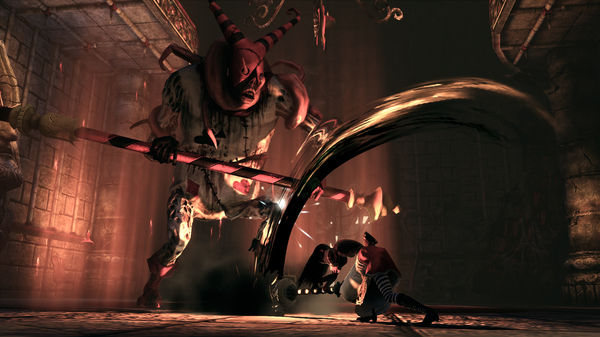
The gameplay brilliantly blends classic third-person platforming with fluid, hack-and-slash combat. Alice navigates beautifully haunting environments using a variety of unique, everyday objects transformed into lethal weapons, such as the iconic Vorpal Blade, a pepper grinder that acts as a gatling gun, and a hobby horse used as a heavy hammer. Players must master dodging, floating, and shrinking down to size to find hidden secrets and progress through the levels. The mechanical variety ensures that the exploration of Alice’s ruined mind remains engaging throughout.
Visually and narratively, the game stands out for its striking gothic art style and profound thematic exploration of trauma, guilt, and mental illness. As Alice alternates between the gloomy streets of Victorian London and the vibrant yet decaying realms of Wonderland, the narrative pieces together her shattered memories. It remains a cult classic celebrated for its imaginative world design, atmospheric storytelling, and its uncompromisingly grim take on Lewis Carroll’s classic literature.
Before downloading make sure that your PC meets minimum system requirements
Minimum System Requirements
- OS: Windows 7 / 8 /10
- Processor: Intel Core2 Duo or AMD Athlon X2
- Memory: 2048MB or greater
- Hard Disk Space: 8.5 GB
- Video Card: *NVIDIA GeForce 7600 256MB
- Sound: DirectX 9.0c compatible
- DirectX®: 9.0c
Screenshots
How to Install Alice Madness Returns?
- Download: Get the installer only from the official developer or a verified store.
- Run Setup: Double-click the official .exe file and follow the prompts.
- Default Path: Install to the recommended folder to ensure proper system permissions.
- Update: Run the game launcher to download any official security patches.
- Launch: Open the game via the official desktop shortcut.