Apunkagames Official Site – Games Download For PC Apunkagames Official Site — Discover detailed PC game guides, accurate system requirements, screenshots, and verified official download links for top Windows games.
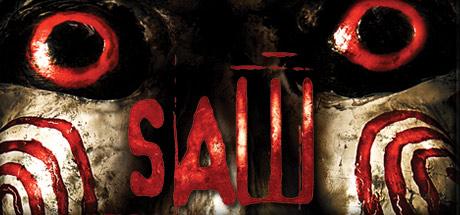
Saw The Video Game is a survival horror title released in 2009 that brings the gritty, tense atmosphere of the famous movie franchise directly to players. Developed by Zombie Studios, the storyline takes place between the first two films and follows Detective David Tapp, who wakes up trapped inside an abandoned insane asylum. To survive, Tapp must navigate a massive gauntlet of mechanical traps, solve twisted puzzles, and evade other desperate victims who have been ordered to kill him.
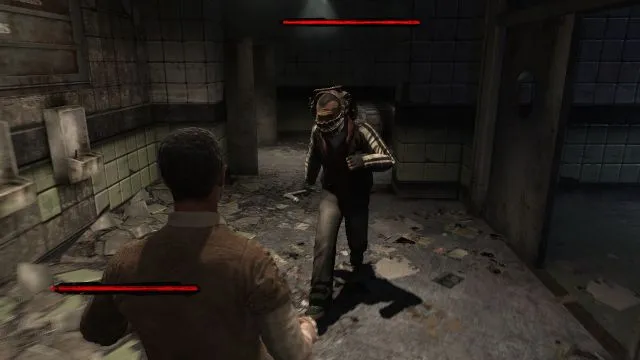
The core gameplay centers around decision-making and survival under pressure. Players must think fast to solve environmental puzzles and disarm rigged explosive devices before a lethal timer runs out. Along the way, you encounter several captives tied to Tapp’s past, forcing you to make moral choices on who lives and who dies. While the combat relies heavily on clunky melee brawling with pipes or scalpels, the real hook is escaping Jigsaw’s complex designs.
Ultimately, the game captured the dark, gruesome aesthetic of the films perfectly, even securing the authentic voice talent of Tobin Bell as Jigsaw. While critics at the time pointed out that the combat mechanics and third-person controls were a bit unpolished, it remains a cult classic for horror fans. The game delivers an immersive psychological experience that forces you to face the ultimate question: how much blood will you shed to stay alive?
Before downloading make sure that your PC meets minimum system requirements
Minimum System Requirements
- OS: Windows XP / Vista
- Processor: 2.4 GHz Intel Pentium 4
- Memory: 1 GB RAM
- Graphics: NVIDIA GeForce 7600
- DirectX: Version 9.0c
- Storage: 12 GB available space
Screenshots
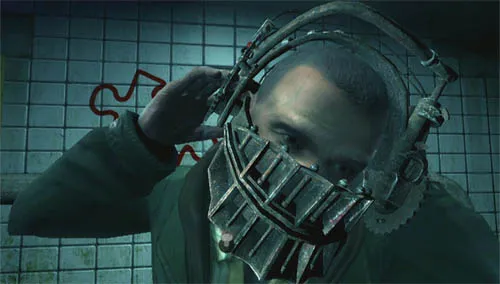
How to Install Saw The Video Game?
- Download: Get the installer only from the official developer or a verified store.
- Run Setup: Double-click the official .exe file and follow the prompts.
- Default Path: Install to the recommended folder to ensure proper system permissions.
- Update: Run the game launcher to download any official security patches.
- Launch: Open the game via the official desktop shortcut.