Apunkagames Official Site – Games Download For PC Apunkagames Official Site — Discover detailed PC game guides, accurate system requirements, screenshots, and verified official download links for top Windows games.
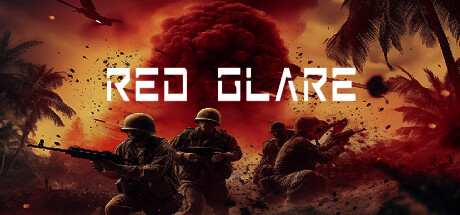
Red Glare is a World War II real-time tactics game developed by BT Studios. It transports players to an alternate history campaign where they control a squad of five specialized Office of Strategic Services (OSS) agents. The primary objective is to infiltrate South America and dismantle a secret German expedition across vast, open landscapes. Mimicking old-school isometric tactics, the gameplay heavily emphasizes stealth, careful environmental positioning, and clever coordination over direct, head-on firefights.
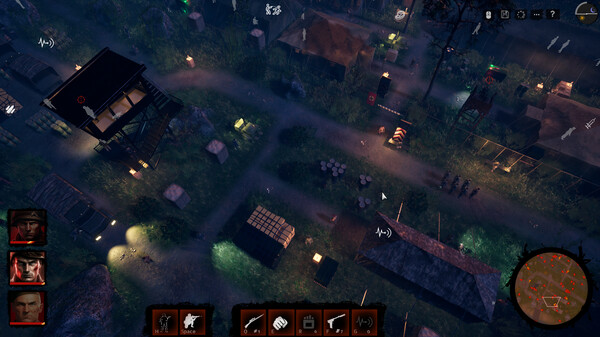
The strategy layer introduces advanced mechanics that alter how missions play out. Maps feature a dynamic day and night cycle that dramatically impacts enemy vision cones, giving players unique sneaking opportunities. Furthermore, weather mechanics like pouring rain can muffle gunfire, while enemies actively trace blood splatters from messy kills. To manage these overlapping challenges, players can use a tactical pause feature to plan and sync up multiple precise character actions simultaneously.
The environments transition through diverse biomes, dropping your tactical squad into dense jungles, harsh deserts, and freezing snowfields. To keep players on their toes, maps are heavily optimized to support over 200 roaming enemies, ranging from guards and snipers to tracking dogs and heavily armored tanks. This independent indie project delivers a challenging, high-stakes tribute to classic tactical gameplay.
Before downloading make sure that your PC meets minimum system requirements
Minimum System Requirements
- OS: Windows 10 / 11
- Processor: Intel Core i5-2500K 3.3GHz
- Memory: 8 GB RAM
- Graphics: Nvidia GeForce GTX 1060 (6 GB)
- DirectX: Version 11
- Storage: 6 GB available space
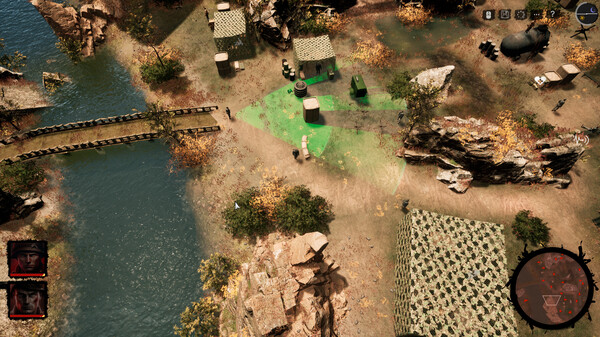
Screenshots
How to Install Red Glare?
- Download: Get the installer only from the official developer or a verified store.
- Run Setup: Double-click the official .exe file and follow the prompts.
- Default Path: Install to the recommended folder to ensure proper system permissions.
- Update: Run the game launcher to download any official security patches.
- Launch: Open the game via the official desktop shortcut.