Apunkagames Official Site – Games Download For PC Apunkagames Official Site — Discover detailed PC game guides, accurate system requirements, screenshots, and verified official download links for top Windows games.

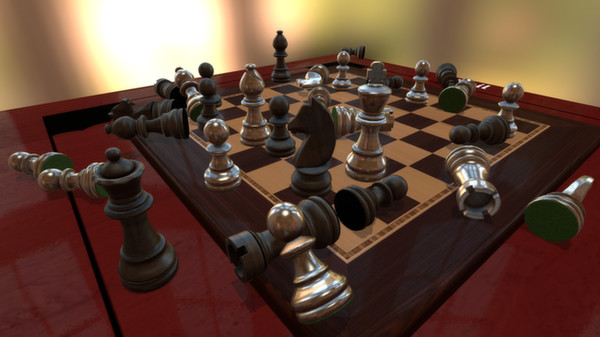
Tabletop Simulator is a versatile digital sandbox developed by Berserk Games that replicates the physical experience of playing board and tabletop games. Unlike traditional video games with rigid rules, it provides a fully interactive 3D environment powered by a realistic physics engine. Players can pick up, rotate, shake, and throw objects just like they would at a real table. It includes a variety of classic built-in games such as chess, poker, and jigsaw puzzles, while also allowing users to flip the table in frustration when a game is not going their way.
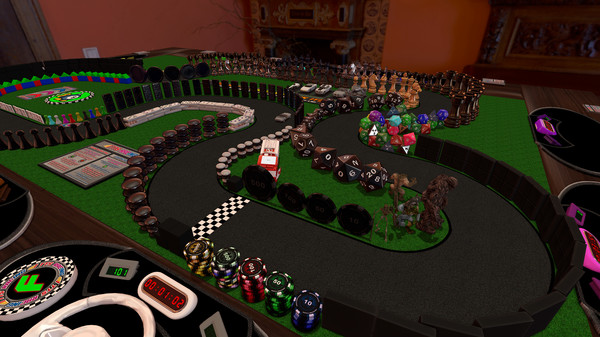
The true strength of the platform lies in its massive community integration through the Steam Workshop. Users can easily design, import, and share custom game assets, leading to thousands of fan-made mods for popular, complex modern board games and custom role-playing scenarios. It supports up to ten players simultaneously, making it a highly popular tool for remote gaming groups and board game designers who want to playtest prototypes without physical manufacturing costs.
Ultimately, the game acts as a blank canvas rather than a structured video game, meaning players must understand and enforce the rules of whatever they are playing themselves. It bridge the gap between physical board gaming and digital convenience, offering robust virtual reality support and highly customizable automation through scripting features. Whether you want to recreate an intricate tabletop RPG campaign or simply play a casual card game with friends across the world, it provides the tools to make it happen.
Before downloading make sure that your PC meets minimum system requirements
Minimum System Requirements
- OS: Windows 7 / 8 / 10 / 11
- Processor: SSE2 instruction set support.
- Memory: 4 GB RAM
- Graphics: Graphics card with DX10 capabilities.
- DirectX: Version 10
- Network: Broadband Internet connection
- Storage: 3 GB available space
Screenshots
How to Install Tabletop Simulator?
- Download: Get the installer only from the official developer or a verified store.
- Run Setup: Double-click the official .exe file and follow the prompts.
- Default Path: Install to the recommended folder to ensure proper system permissions.
- Update: Run the game launcher to download any official security patches.
- Launch: Open the game via the official desktop shortcut.