Apunkagames Official Site – Games Download For PC Apunkagames Official Site — Discover detailed PC game guides, accurate system requirements, screenshots, and verified official download links for top Windows games.

Disney Dreamlight Valley is an enchanting life-simulation and adventure game released in its complete form in 2023. Developed by Gameloft, the narrative transports players to a magical world fractured by “The Forgetting”—a dark event that left the valley overgrown with Night Thorns and caused its iconic residents to lose their memories. It is up to you to harness the power of Dreamlight to dispel the darkness, restore the realm, and rebuild a harmonious sanctuary.
For PC players, the core gameplay loop brilliantly fuses the cozy, creative freedom of Animal Crossing with deep, story-driven questing. You can hang out, cook, fish, and garden alongside a massive roster of Disney and Pixar characters, including Mickey Mouse, Elsa, and Scar. Every neighbor features a fully voiced friendship progression tracker that unlocks exclusive items and cosmetic designs.
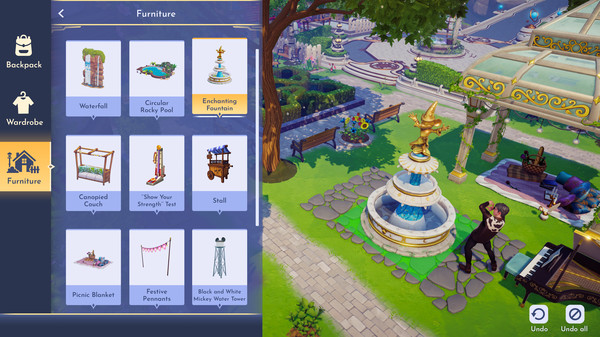
The customization suite is incredibly robust, offering grid-based village design, precise structural placement, and a “Touch of Magic” tool to design your own custom clothing patterns. The PC port features smooth, ultra-responsive mouse navigation for inventory sorting and base decoration, running beautifully across varied system setups. The digital installation requires 10 GB of available storage space on your hard drive or solid-state drive (SSD) to begin your magical journey.
Before downloading make sure that your PC meets minimum system requirements
Minimum System Requirements
- OS: Windows 10 / 11
- Processor: Intel Core i3-540 or AMD Phenom II X4 940
- Memory: 6 GB RAM
- Graphics: NVIDIA GeForce 9600 GT, 512 MB
- DirectX: Version 10
- Storage: 10 GB available space
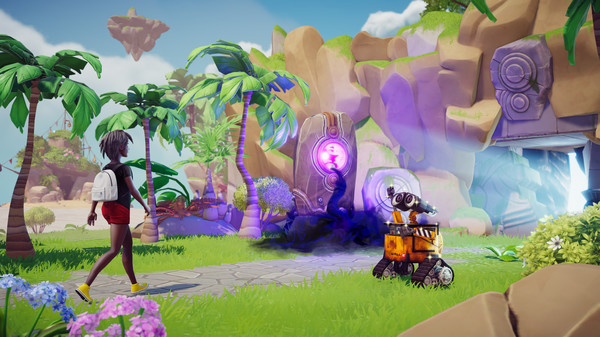
Screenshots
How to Install Disney Dreamlight Valley?
- Download: Get the installer only from the official developer or a verified store.
- Run Setup: Double-click the official .exe file and follow the prompts.
- Default Path: Install to the recommended folder to ensure proper system permissions.
- Update: Run the game launcher to download any official security patches.
- Launch: Open the game via the official desktop shortcut.