Apunkagames Official Site – Games Download For PC Apunkagames Official Site — Discover detailed PC game guides, accurate system requirements, screenshots, and verified official download links for top Windows games.
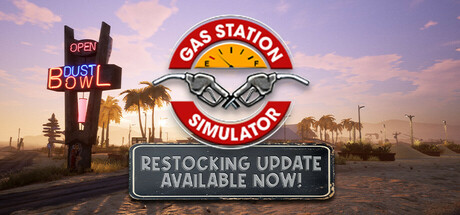
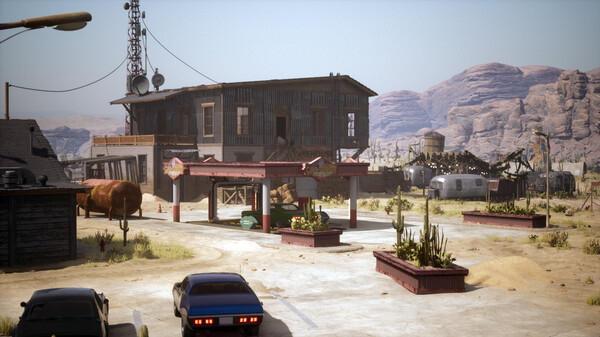
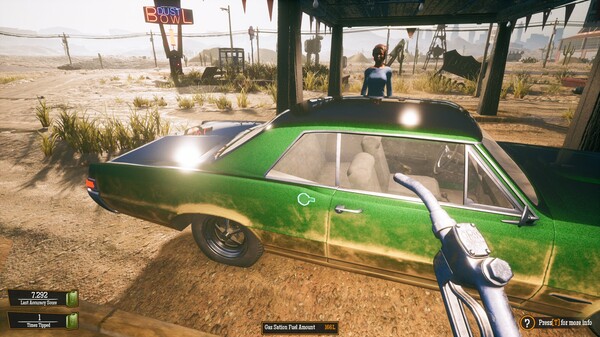
Gas Station Simulator is a popular management simulation game developed by DRAGO Entertainment and published by Movie Games S.A. In this game, players buy an abandoned gas station in the middle of a desert along Route 66 and take on the task of restoring, expanding, and running it. The core gameplay revolves around balancing multiple micro-management tasks, such as fueling cars, ordering inventory, scanning items at the cash register, and repairing broken vehicles in the car workshop.
As the business grows, players can customize and expand their station by adding new facilities like a car wash, a warehouse, and a larger convenience store. To keep up with the increasing influx of customers, players can hire and manage employees to delegate tasks like cleaning or running the cash register. However, you must keep an eye on your finances and supply chains to ensure the station runs smoothly and profitably.
The game blends stressful management mechanics with a quirky, fun atmosphere, featuring occasional chaotic events and troublemakers like Uncle, who lends you money but demands favors, or a mischievous kid named Dennis who sprays graffiti on your walls. Overall, it offers a highly engaging and oddly addictive loop of turning a dusty, rundown shack into a thriving, bustling roadside empire.
Before downloading make sure that your PC meets minimum system requirements
Minimum System Requirements
- OS: Windows 10 / 11 64-bit
- Processor: Intel Core i3 3.0 GHz or Ryzen 3xxx
- Memory: 8 GB RAM
- Graphics: Nvidia GeForce GTX 960 4GB VRAM
- DirectX: Version 11
- Storage: 10 GB available space
Screenshots
How to Install Gas Station Simulator?
- Download: Get the installer only from the official developer or a verified store.
- Run Setup: Double-click the official .exe file and follow the prompts.
- Default Path: Install to the recommended folder to ensure proper system permissions.
- Update: Run the game launcher to download any official security patches.
- Launch: Open the game via the official desktop shortcut.