Apunkagames Official Site – Games Download For PC Apunkagames Official Site — Discover detailed PC game guides, accurate system requirements, screenshots, and verified official download links for top Windows games.

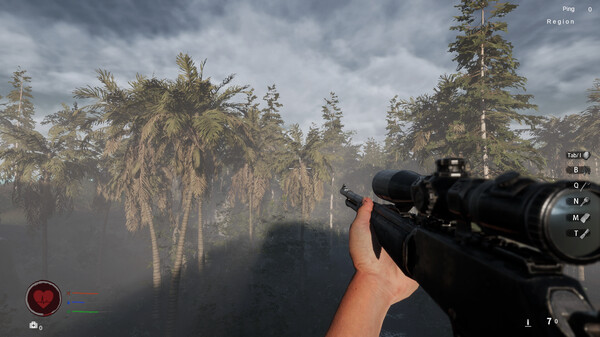
Crazy Islands is a 3D open-world survival game designed for one to four players. Set on a mysterious archipelago trapped by powerful magnetic fields and spatial turbulence, the game tasks players with navigating a dangerous natural environment. You take on the role of a young man searching for his missing father, who vanished while hunting for pirate treasure. By following clues left in your father’s handbook, you must explore abandoned labs and alien testing sites to unlock the truth behind his disappearance.
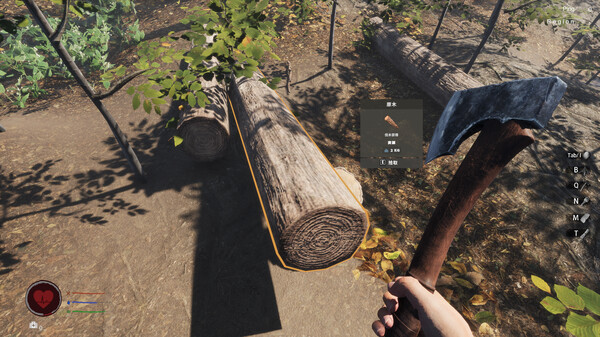
Survival relies entirely on your ability to scavenge resources and adapt to your surroundings. The gameplay features a progressive technology system where players transition from primitive stone tools to advanced weaponry and complex base facilities. You can craft essential machinery like power generators and water collectors, manage complex resource production chains, and even farm and cook dishes to maintain your health. Progression is heavily tied to solving equipment puzzles that gradually disable the magnetic fields isolating each island.
Exploration spans ten distinct islands, each populated by harsh elements, wild predators, and aggressive, immortal undead pirates. Players must build secure shelters, upgrade defensive capabilities, and strategize with friends in online co-op mode to overcome these threats. While the title presents an intriguing mix of sci-fi mysteries and survival mechanics, early community feedback highlights a challenging experience filled with technical performance hurdles and complex blueprint systems.
Before downloading make sure that your PC meets minimum system requirements
Minimum System Requirements
- OS: Windows 10 / 11
- Processor: INTEL CORE I5-8400
- Memory: 8 GB RAM
- Graphics: NVIDIA GeForce GTX 1060 3GB
- DirectX: Version 11
- Network: Broadband Internet connection
- Storage: 20 GB available space
Screenshots
How to Install Crazy Islands?
- Download: Get the installer only from the official developer or a verified store.
- Run Setup: Double-click the official .exe file and follow the prompts.
- Default Path: Install to the recommended folder to ensure proper system permissions.
- Update: Run the game launcher to download any official security patches.
- Launch: Open the game via the official desktop shortcut.