Apunkagames Official Site – Games Download For PC Apunkagames Official Site — Discover detailed PC game guides, accurate system requirements, screenshots, and verified official download links for top Windows games.
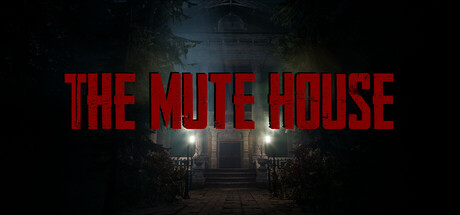
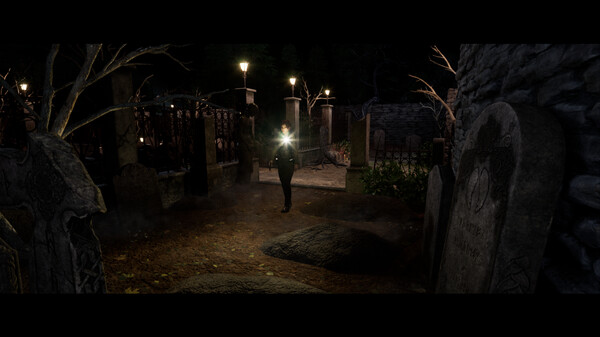
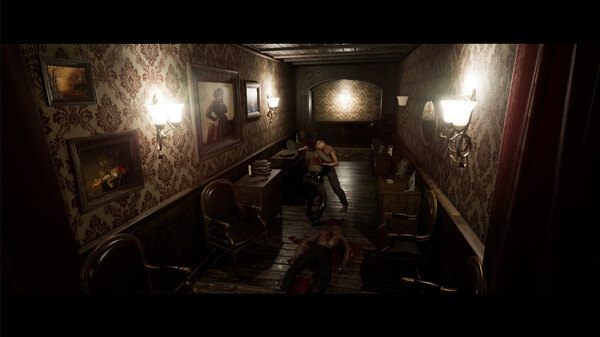
THE MUTE HOUSE is an atmospheric indie survival horror game developed and published by December Blues Games. Released in January 2025, the title heavily draws inspiration from the golden age of 1990s survival horror classics like the early Resident Evil titles. Players step into the shoes of Emily, a dedicated county policewoman who takes matters into her own hands to investigate the mysterious disappearance of her sister in the eerie town of Ashtown, ultimately finding herself trapped inside a dark, isolated mansion.
The gameplay experience is built around a distinct old-school formula, featuring fixed camera angles that enhance the tense, claustrophobic atmosphere. To survive the night and uncover the secrets of the manor, players must carefully manage a highly restrictive inventory, navigate tank-like movement controls, and solve intricate logic puzzles. Resources are scarce, making effective planning and item storage critical to progressing deeper into the estate.
Action and combat components add to the overwhelming sense of dread, as dangerous creatures roam the hallways. Every bullet counts in this unforgiving environment, requiring players to optimize their firearms and think critically before engaging in battles. Despite featuring notoriously tanky boss encounters and highly challenging resource constraints, the game maintains a “Very Positive” reception on Steam from nostalgic fans who appreciate its dedication to classic, uncompromised retro horror mechanics.
Before downloading make sure that your PC meets minimum system requirements
Minimum System Requirements
- OS: Windows 7 / 8
- Processor: i5-3427U, Amd Athlon x4 750k
- Memory: 8 GB RAM
- Graphics: GeForce GTX 960
Screenshots
How to Install THE MUTE HOUSE?
- Download: Get the installer only from the official developer or a verified store.
- Run Setup: Double-click the official .exe file and follow the prompts.
- Default Path: Install to the recommended folder to ensure proper system permissions.
- Update: Run the game launcher to download any official security patches.
- Launch: Open the game via the official desktop shortcut.