Apunkagames Official Site – Games Download For PC Apunkagames Official Site — Discover detailed PC game guides, accurate system requirements, screenshots, and verified official download links for top Windows games.
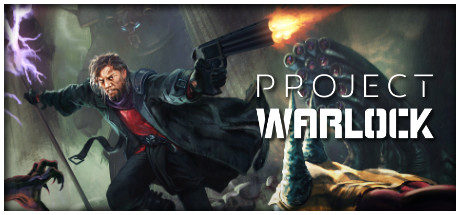
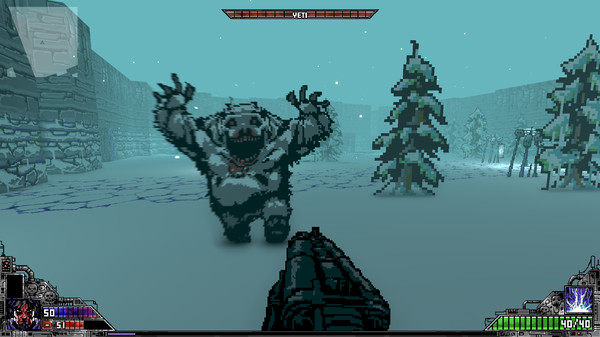
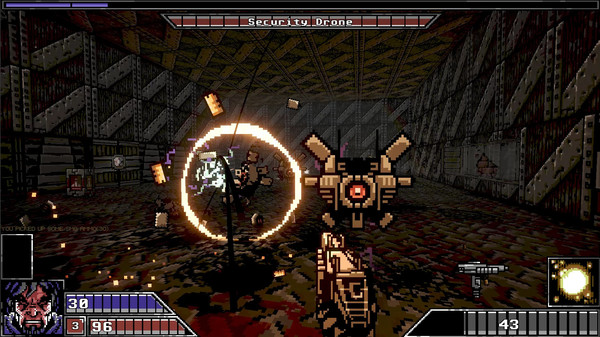
Project Warlock is a fast-paced, retro-styled first-person shooter that pays tribute to legendary 1990s boomer shooters like Doom, Hexen, and Wolfenstein 3D. Developed by Buckshot Software, the game positions you as a mysterious, powerful warlock on a relentless, dimension-hopping crusade to eradicate all forms of cosmic and demonic evil. It captures the frantic, adrenaline-fueled action of classic PC gaming while seamlessly incorporating modern touches.
The gameplay structure sends players tearing through sixty expansive levels spread across five distinct environments, ranging from frozen Antarctic research bases and scorching Egyptian deserts to medieval castle courtyards. Survival depends on your ability to continuously dodge incoming enemy projectiles, hunt down traditional colored keys to access new zones, and navigate intricate mazes to discover hidden rooms stuffed with gold and ammunition. Each themed world culminates in an intense, arena-style boss encounter against towering monstrosities.
What elevates the experience is its surprisingly deep role-playing progression system mixed with a massive arsenal. Players can wield and upgrade thirty-eight distinct weapons alongside eight devastating magic spells, customizing their loadout with special character perks and stat boosts between levels. The visual aesthetic pairs crunchy, classic pixel art with striking modern lighting effects, delivering a heavy-metal symphony of bullet hell carnage that feels satisfyingly punchy from start to finish.
Before downloading make sure that your PC meets minimum system requirements
Minimum System Requirements
- OS: Windows 7 / 8 / 10
- Processor: Intel Core i3 3220 or AMD X8 FX-8120
- Memory: 4 GB RAM
- Graphics: GeForce GTX 560 (1GB)
- DirectX: Version 10
- Storage: 3 GB available space
Screenshots
How to Install Project Warlock?
- Download: Get the installer only from the official developer or a verified store.
- Run Setup: Double-click the official .exe file and follow the prompts.
- Default Path: Install to the recommended folder to ensure proper system permissions.
- Update: Run the game launcher to download any official security patches.
- Launch: Open the game via the official desktop shortcut.