Apunkagames Official Site – Games Download For PC Apunkagames Official Site — Discover detailed PC game guides, accurate system requirements, screenshots, and verified official download links for top Windows games.
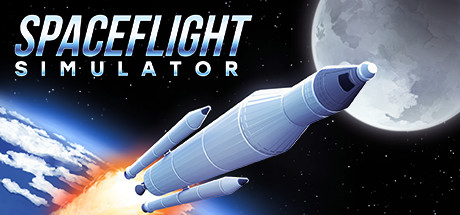
Spaceflight Simulator is a minimalist yet deeply engaging sandbox game that lets players design, build, and fly their own rockets. Utilizing a realistic but highly accessible 2D physics engine, the game challenges you to navigate the complexities of orbital mechanics, atmospheric re-entry, and celestial navigation. The interface is clean and intuitive, making the daunting task of rocket science feel approachable for both casual enthusiasts and hardcore space fans alike.
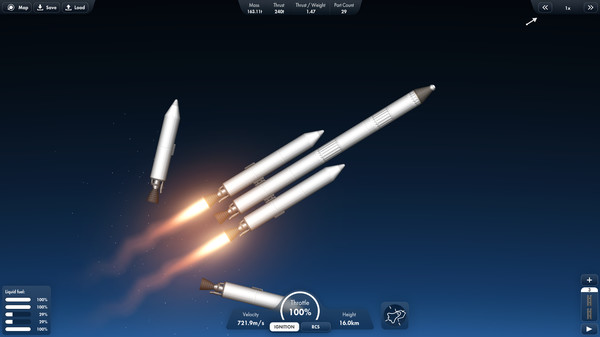
The core gameplay loop centers on trial and error within a parts-based construction grid. Players assemble custom stages using fuel tanks, various engine types, fairings, and capsules, keeping a close eye on their thrust-to-weight ratio. Once cleared for launch, the journey extends far beyond Earth’s orbit; you can plan trajectories to reach the Moon, Mars, Venus, and other planets within a accurately scaled representation of our solar system.
Whether your goal is to land a rover on a distant planet, dock modules to construct a massive orbital space station, or simply see how high a ridiculous multi-stage rocket can go before exploding, the game offers complete creative freedom. With its active community, workshop support on Steam, and seamless physics, it transforms complex aerospace engineering into a thoroughly rewarding personal playground.
Before downloading make sure that your PC meets minimum system requirements
Minimum System Requirements
- OS: Windows 7 / 8
- Processor: 2.4 GHz Dual core
- Memory: 2 GB RAM
- Graphics: Integrated Graphics (512MB)
- Storage: 1 GB available space
Screenshots
How to Install Spaceflight Simulator?
- Download: Get the installer only from the official developer or a verified store.
- Run Setup: Double-click the official .exe file and follow the prompts.
- Default Path: Install to the recommended folder to ensure proper system permissions.
- Update: Run the game launcher to download any official security patches.
- Launch: Open the game via the official desktop shortcut.