Apunkagames Official Site – Games Download For PC Apunkagames Official Site — Discover detailed PC game guides, accurate system requirements, screenshots, and verified official download links for top Windows games.

DeathOmen is a short first-person psychological horror experience developed by Jeff Winner and published by CreativeForge Games. Released in February 2025, the project serves as a deeply personal creative expression for the developer, who poured his own experiences with burnout and mental exhaustion into the narrative. Rather than relying heavily on traditional gaming mechanics, it focuses on delivering an atmospheric journey meant to invite player reflection on life, isolation, and human mortality.
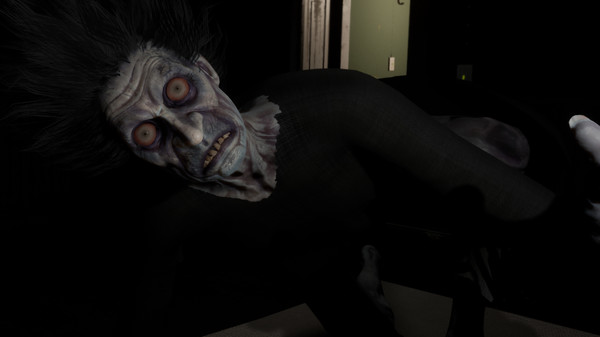
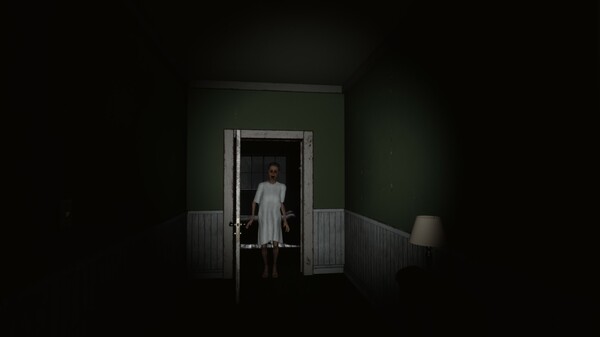
The gameplay places you inside a mysterious, dimly lit house where the primary objective is to maintain your sanity across several harrowing nights. It blends a slow, methodical exploration format with sudden, heart-stopping jump scares and creeping “micro-scares” designed to mirror inner psychological trauma. The oppressive environment reacts directly to your presence, using heavy shadows and realistic sound design to blur the line between reality and hallucination.
To create a genuine feeling of vulnerability, the title avoids direct combat entirely, relying instead on high-tension survival mechanics and panic elements. Players navigate the tight spaces while interacting with environmental cues to uncover a hidden, emotional story. It functions as a brief but intense test of endurance that challenges you to face your own fears in the dark.
Before downloading make sure that your PC meets minimum system requirements
Minimum System Requirements
- OS: Windows 7 / 8 / 10 64-bits
- Processor: 2.5 GHz Quad-core Intel
- Memory: 8 GB RAM
- Graphics: NVIDIA GeForce GTX 760
- DirectX: Version 11
- Storage: 5 GB available space
Screenshots
How to Install DeathOmen?
- Download: Get the installer only from the official developer or a verified store.
- Run Setup: Double-click the official .exe file and follow the prompts.
- Default Path: Install to the recommended folder to ensure proper system permissions.
- Update: Run the game launcher to download any official security patches.
- Launch: Open the game via the official desktop shortcut.