Apunkagames Official Site – Games Download For PC Apunkagames Official Site — Discover detailed PC game guides, accurate system requirements, screenshots, and verified official download links for top Windows games.
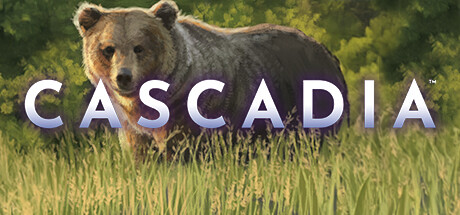
Cascadia is a strategic, relaxing digital board game adaptation developed and published by Dire Wolf. Based on the critically acclaimed, award-winning tabletop game, this digital version brings the breathtaking wilderness of the Pacific Northwest directly to your screen. Players compete to cultivate the most harmonious environment by carefully arranging diverse habitat tiles and populating them with various wildlife species.
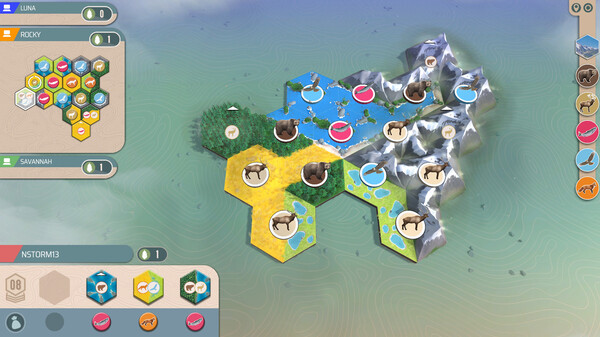
The core gameplay centers on a simple yet deep dual-tile mechanic where choices dictate your ecosystem’s success. On each turn, you select a combination of a habitat tile and a wildlife token to expand your environment. You earn points by creating large, contiguous terrains like mountains, rivers, or prairies, and by arranging animals—such as bears, elk, and salmon—into specific spatial patterns defined by shifting scoring objectives.
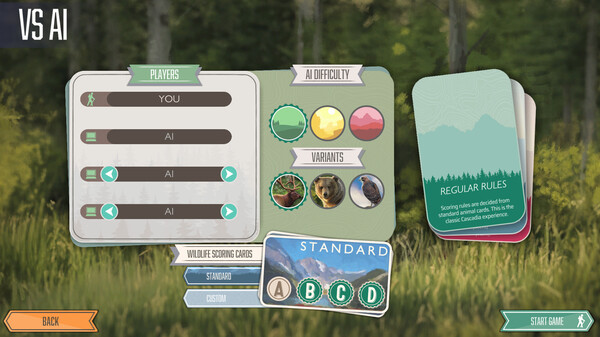
Offering multiple ways to play, the digital edition features robust single-player and multiplayer modes. You can test your tactical skills through fifteen solo scenarios, fourteen specialized challenges, and a rotating “Daily Trek” mode that shakes up standard rules. With its calming soundtrack, clean user interface, and local pass-and-play or online options, the game provides an engaging, puzzle-like experience that is easy to learn but challenging to master.
Before downloading make sure that your PC meets minimum system requirements
Minimum System Requirements
- OS: Windows 10 (64bit version only)
- Processor: Intel Core i5-2400 or AMD Ryzen 3 2200G
- Memory: 4 GB RAM
- Graphics: Intel HD 2000 graphics or Vega 8 graphics
- DirectX: Version 11
- Storage: 2 GB available space
Screenshots
How to Install Cascadia?
- Download: Get the installer only from the official developer or a verified store.
- Run Setup: Double-click the official .exe file and follow the prompts.
- Default Path: Install to the recommended folder to ensure proper system permissions.
- Update: Run the game launcher to download any official security patches.
- Launch: Open the game via the official desktop shortcut.