Apunkagames Official Site – Games Download For PC Apunkagames Official Site — Discover detailed PC game guides, accurate system requirements, screenshots, and verified official download links for top Windows games.

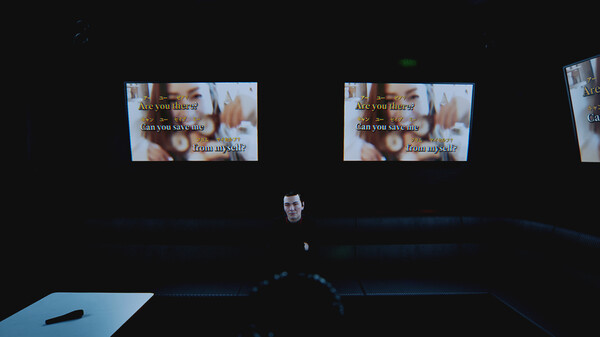
BrokenLore LOW is a short psychological horror game developed and published by Serafini Productions. The narrative serves as a prequel to the broader BrokenLore universe, directly setting the stage for the events of BrokenLore: UNFOLLOW. Players step into the shoes of Naomi Montgomery, an ambitious young singer who travels to the secluded, mist-shrouded Japanese village of Kirisame-mura for a career-defining professional opportunity, only to find herself trapped in a living nightmare haunted by ancient, deep-seated hatred.
The gameplay functions primarily as a tense walking simulator mixed with exploration, stealth, and light puzzle-solving elements. Its layout features a claustrophobic, looping labyrinth structure where the environment subtly shifts to represent a cycle of tragic events and poor choices. The visual design stands out for its unique blend of hyper-realistic modern graphics mixed with distinctive retro, low-poly segments that echo the aesthetics of classic PlayStation 1-era horror games.
The overarching threat in the village is the Gashadokuro, a massive, terrifying skeleton entity originating from traditional Japanese folklore. Developed alongside a professional psychologist, the game handles heavy mature themes with deliberate sensitivity while delivering a concentrated, atmosphere-driven experience. Clocking in at around an hour long, it focuses on building a deeply unsettling and artistic supernatural aura.
Before downloading make sure that your PC meets minimum system requirements
Minimum System Requirements
- OS: Windows 10 (64-bit)
- Processor: Intel Core i5-2500K / AMD FX-6300
- Memory: 16 GB RAM
- Graphics: NVIDIA GeForce GTX 1060
- Storage: 15 GB available space
Screenshots

How to Install BrokenLore LOW?
- Download: Get the installer only from the official developer or a verified store.
- Run Setup: Double-click the official .exe file and follow the prompts.
- Default Path: Install to the recommended folder to ensure proper system permissions.
- Update: Run the game launcher to download any official security patches.
- Launch: Open the game via the official desktop shortcut.