Apunkagames Official Site – Games Download For PC Apunkagames Official Site — Discover detailed PC game guides, accurate system requirements, screenshots, and verified official download links for top Windows games.
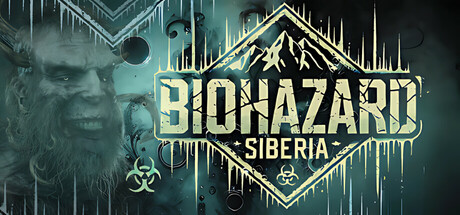
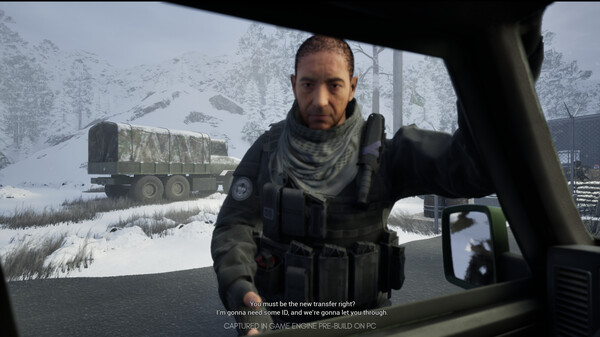
Biohazard Siberia is a first-person psychological survival horror game developed and published by Veilshift Games. Released in February 2025, the title places you into the shoes of Owen Reeves, a newly hired security officer at a secret underground research facility known as Ark Nexus. What begins as a routine security assignment rapidly devolves into a claustrophobic nightmare when the facility’s dark experiments spiral entirely out of control, leaving you trapped inside.
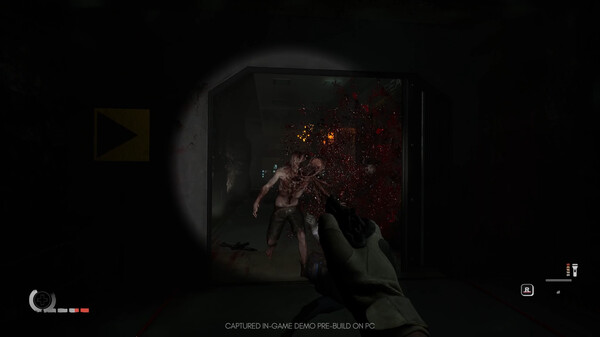
The core gameplay seamlessly blends traditional survival horror tension with deeply disorienting psychological elements. As you explore the eerie, rusted corridors of Ark Nexus, you must manage highly limited resources like ammo and stamina to fend off deformed mutants that used to be human. Solving intricate environmental puzzles is crucial for escape, but your surroundings are completely unreliable; stepping through a simple doorway might suddenly transport you into an unexpected environment like a dense jungle or the middle of an ocean.
Built using the latest Unreal Engine 5 technology, the game heavily leverages advanced features like real-time illumination, Nanite rendering, and Metahuman tech to create a highly immersive and terrifying world. It presents a narrative full of twists, forcing players to constantly question what is real and what is part of a dark simulation.
Before downloading make sure that your PC meets minimum system requirements
Minimum System Requirements
- OS: Windows 10/11
- Processor: Ryzen 5 1600X / Intel Core i5 8600K
- Memory: 8 GB RAM
- Graphics: NVIDIA GeForce GTX 1050 Ti
- DirectX: Version 12
- Storage: 12 GB available space
Screenshots
How to Install Biohazard Siberia?
- Download: Get the installer only from the official developer or a verified store.
- Run Setup: Double-click the official .exe file and follow the prompts.
- Default Path: Install to the recommended folder to ensure proper system permissions.
- Update: Run the game launcher to download any official security patches.
- Launch: Open the game via the official desktop shortcut.