Apunkagames Official Site – Games Download For PC Apunkagames Official Site — Discover detailed PC game guides, accurate system requirements, screenshots, and verified official download links for top Windows games.

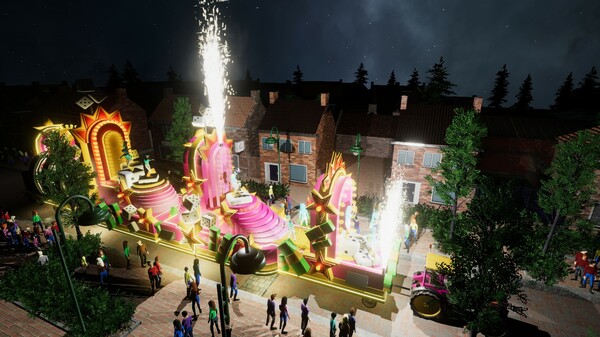
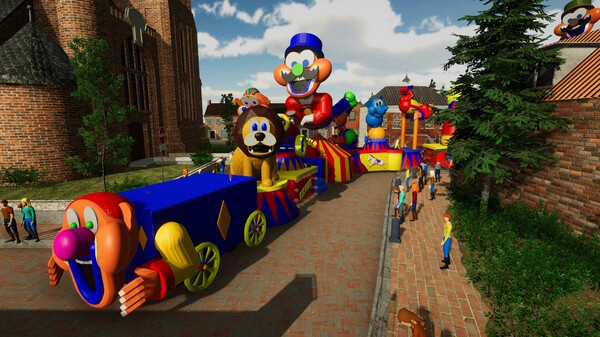
Carnaval Simulator is a unique indie tycoon and simulation game that immerses players into the colorful world of festival culture. Developed and published by JBA Software Development, the title allows players to design, manage, and execute spectacular parade floats. Drawing heavy inspiration from iconic global festivities such as Mardi Gras and the Carnival of Brazil, the gameplay shifts the focus from typical city management to pure, energetic visual spectacle and float craftsmanship.
The core gameplay centers on an expansive, detailed float-building editor. Players can select from a wide variety of props, decorative assets, and interactive animatronics, customizing them by scaling, rotating, and recoloring. Additionally, the game includes deep customization options for creating complex light shows and syncing movements to music. After construction is finished, players get to drive their custom masterpieces firsthand down festive, crowded streets to see their hard work come to life in a vibrant live environment.
For those seeking multiple ways to play, the game offers single-player scenario challenges alongside a fully unrestricted sandbox mode. Furthermore, it features an interactive multiplayer mode for up to eight players, where friends can build their own custom floats, parade together, and vote on each other’s designs. Backed by Steam Workshop support for custom mods and community creations, it provides an imaginative platform celebrating the true artistry of parade design.
Before downloading make sure that your PC meets minimum system requirements
Minimum System Requirements
- OS: Windows 10/11 64bit
- Processor: Intel i5-2300/AMD FX-4300
- Memory: 8 GB RAM
- Graphics: NVidia GTX 630/AMD Radeon 7850
- Storage: 10 GB available space
Screenshots
- Download: Get the installer only from the official developer or a verified store.
- Run Setup: Double-click the official .exe file and follow the prompts.
- Default Path: Install to the recommended folder to ensure proper system permissions.
- Update: Run the game launcher to download any official security patches.
- Launch: Open the game via the official desktop shortcut.