Apunkagames Official Site – Games Download For PC Apunkagames Official Site — Discover detailed PC game guides, accurate system requirements, screenshots, and verified official download links for top Windows games.

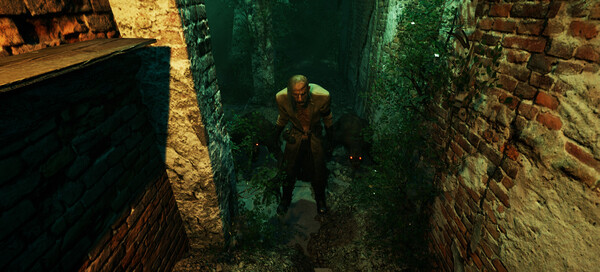
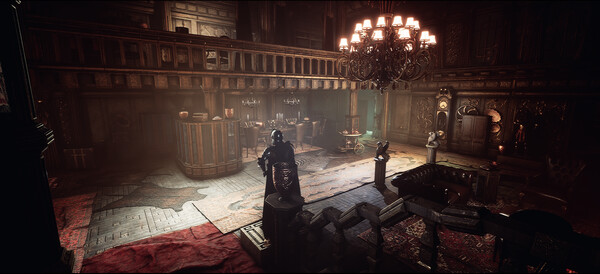
Last Half of Darkness is a psychological horror adventure game developed and published by WRF Studios, serving as a modern continuation of the classic 1989 point-and-click PC adventure title. Marking the 35th anniversary of the franchise, this installment updates the series’ iconic spooky atmosphere with fully realized, realistic 3D environments. Players navigate the terrifying landscape using smooth, first-person movement designed to deepen the sense of dread and exploration.
The story centers on your late aunt, a peculiar but well-meaning witch who was tragically murdered while brewing a powerful magic potion. To uncover her dark secrets and complete her unfinished work, you must venture deep behind the imposing gates of “Paraíso Del Norte,” her disturbingly bleak estate. Your ultimate objective is to scour the creepy, atmospheric property to find the critical, missing ingredients for her final potion before her magical knowledge is lost to the grave forever.
Gameplay focuses heavily on story-based exploration, immersive puzzle-solving, and a haunting, spine-chilling soundtrack that keeps players on edge. Along the journey, you will encounter diverse obstacles, logic puzzles, and classic adventure-style item hunting that can be tailored with adjustable difficulty settings. The game seamlessly blends nostalgia for the original text-and-image classic with modern, atmospheric indie horror mechanics.
Before downloading make sure that your PC meets minimum system requirements
Minimum System Requirements
- OS: Windows 10 and 11
- Processor: Intel Core i5 or AMD Quad-Core or better
- Memory: 8 GB RAM
- Graphics: Nvidia GTX 780 / AMD Radeon R9 280X
- DirectX: Version 9.0c
- Storage: 16 GB available space
Screenshots
How to Install Last Half of Darkness?
- Download: Get the installer only from the official developer or a verified store.
- Run Setup: Double-click the official .exe file and follow the prompts.
- Default Path: Install to the recommended folder to ensure proper system permissions.
- Update: Run the game launcher to download any official security patches.
- Launch: Open the game via the official desktop shortcut.